Next, click on Contests where you can specify the individual contests/races included in your event. You may, for example, define a 5k, Half Marathon, and a Marathon. Two contests have been predefined and inserted by default. If you plan on offering more than two contests, you can add more by clicking on Create New Contest. You may also delete an unnecessary contest by clicking the tab for that contest and then clicking Delete.
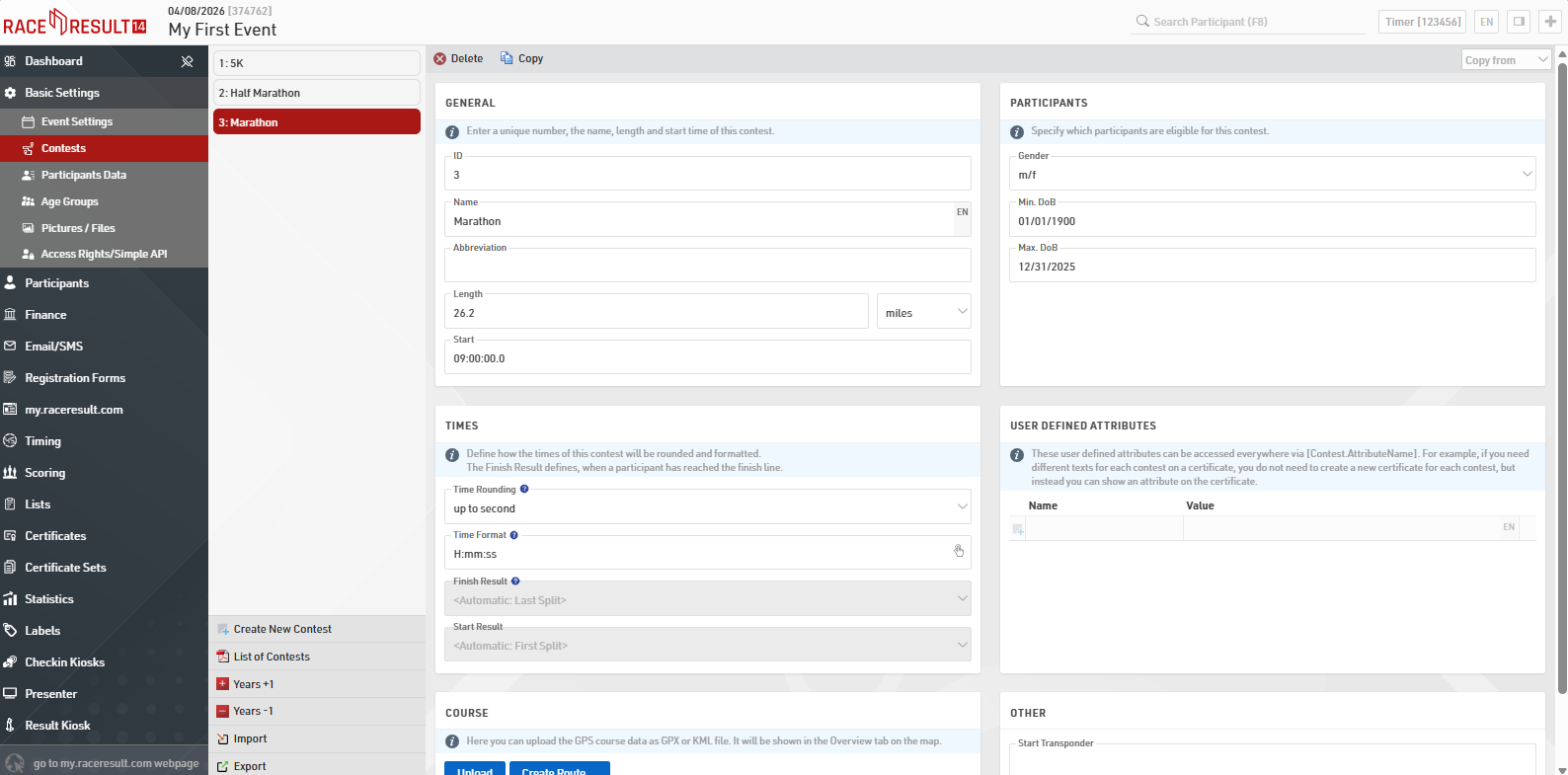
In the first section (General), you should specify the contest's identification number (ID), name, distance, and finally the start time. The Participants section on the right determines who is eligible. This part has, for instance, an effect on who is allowed to register for the event using the online registration on my.raceresult.com. If you add non-eligible participants manually, you will receive a warning.
Times defines how to deal with the race times of this contest, how to round and format individual times. Finish Result only needs to be modified if you require a special result setup or using a non-template setup.
If you want to view the race map in the overview window you can upload a gpx file or map it using the create route tool under Course.