Labeling Timing Points
A Timing Point defines a physical location at which chip times are recorded.
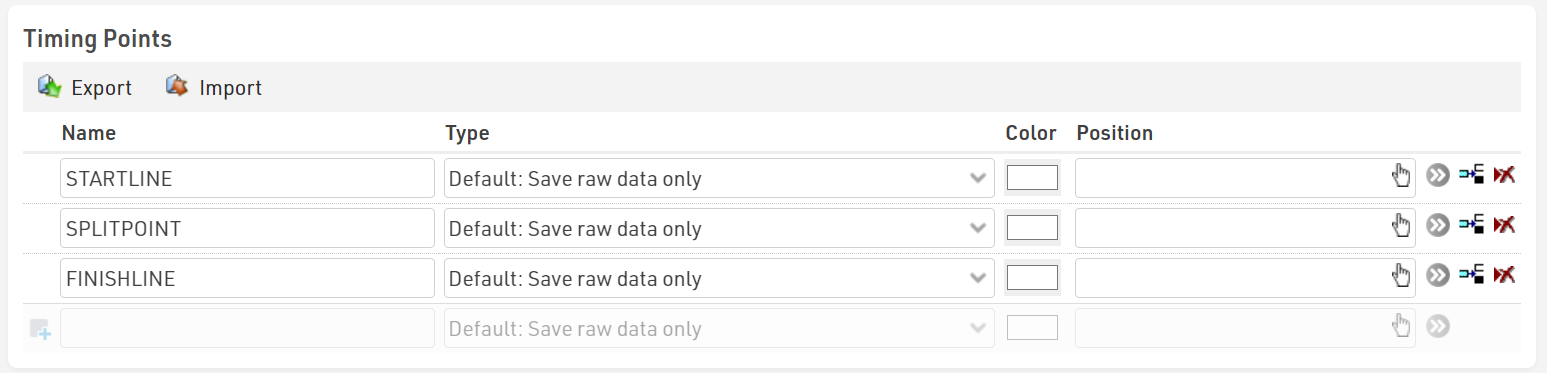
In this example, we are using three Timing Points, one for each timing location on the course, these are defined as STARTLINE, SPLITPOINT, and FINISHLINE.
All three Timing Points are configured in RACE RESULT 12, in particular note that all Timing Points are using the type of Default: Save raw data only. Splits will only work with Raw Data.
Connecting Timing Systems to Timing Points
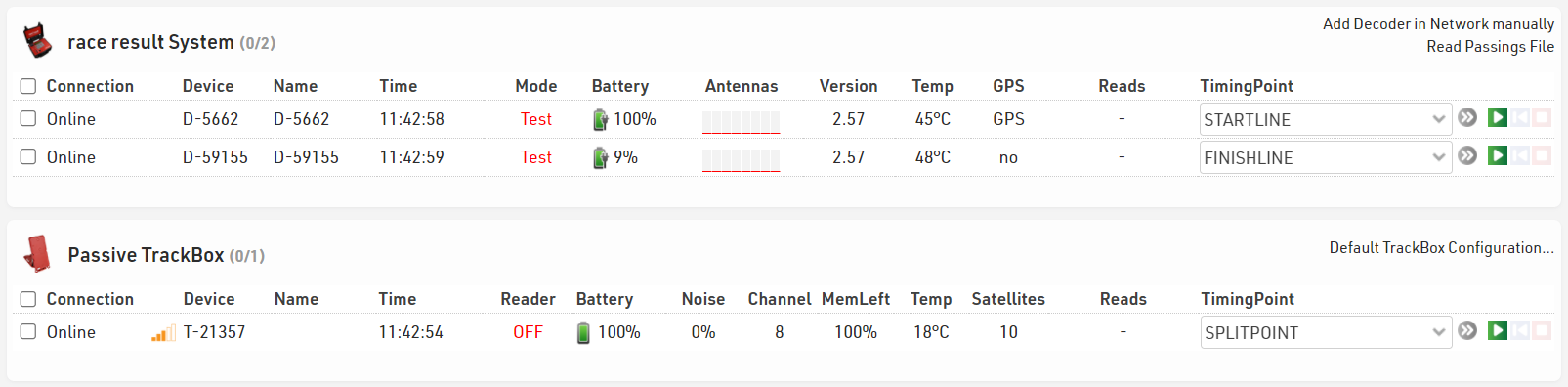
When connecting your timing systems to RACE RESULT 12 in the Timing Tab, it is important to assign each decoder to the correct Timing Point.
Later in our Splits setup, we will assign these timing points to various splits on the course. Below you can see we have three systems connected. There are two decoders, one for the Start line and one for the Finish line. We also have one Passive Track Box as our 5k split.