If you create an event offline and you want to connect to an online decoder you need to ensure to do the following:
- Set your Customer ID on the Decoder - you can only access decoders uploading to your ID
- Link the software to your customer ID
Set CustomerID on the decoder
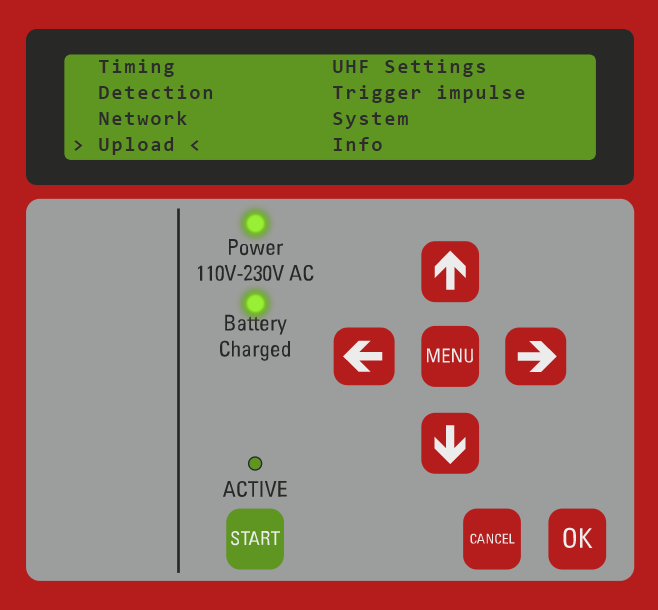
- Open the Menu and navigate to Upload
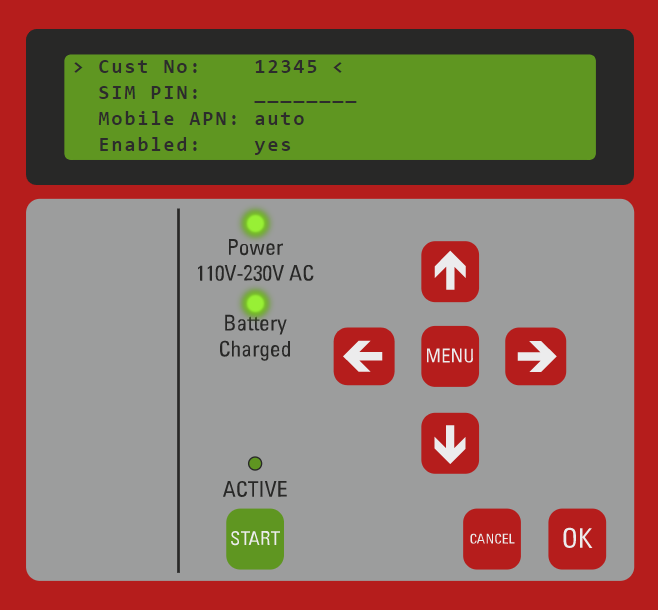
- Set CustomerID (i.e. 12345) and enable GSM upload. You may also need to set the SIM pin, auto APN supports most major networks globally however you may need to set manual APN settings via the Browser Interface
Add Customer ID to the software
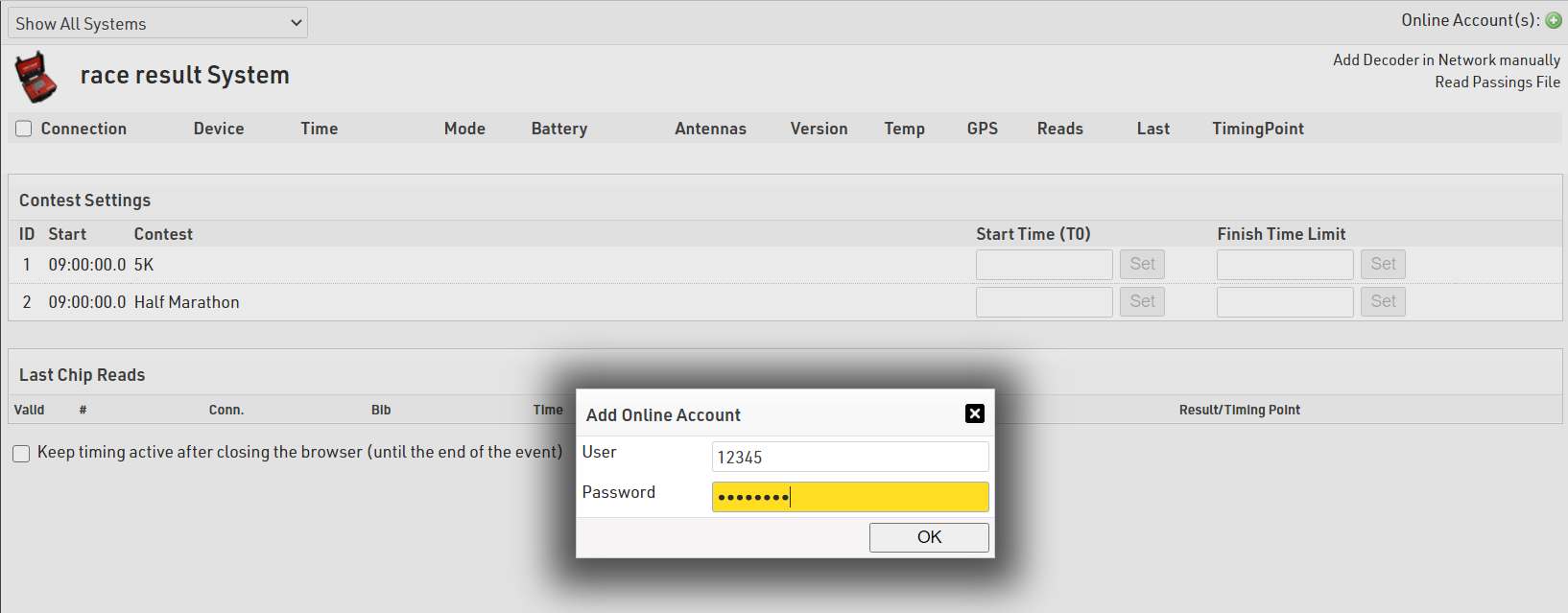
- In the Timing tab and press the green "+" button in the top right corner, next to Online Account(s)
- Enter your Customer ID and password and click OK
- Your customer ID will be listed in the Online Accounts
- Decoders which are connected online will be automatically displayed