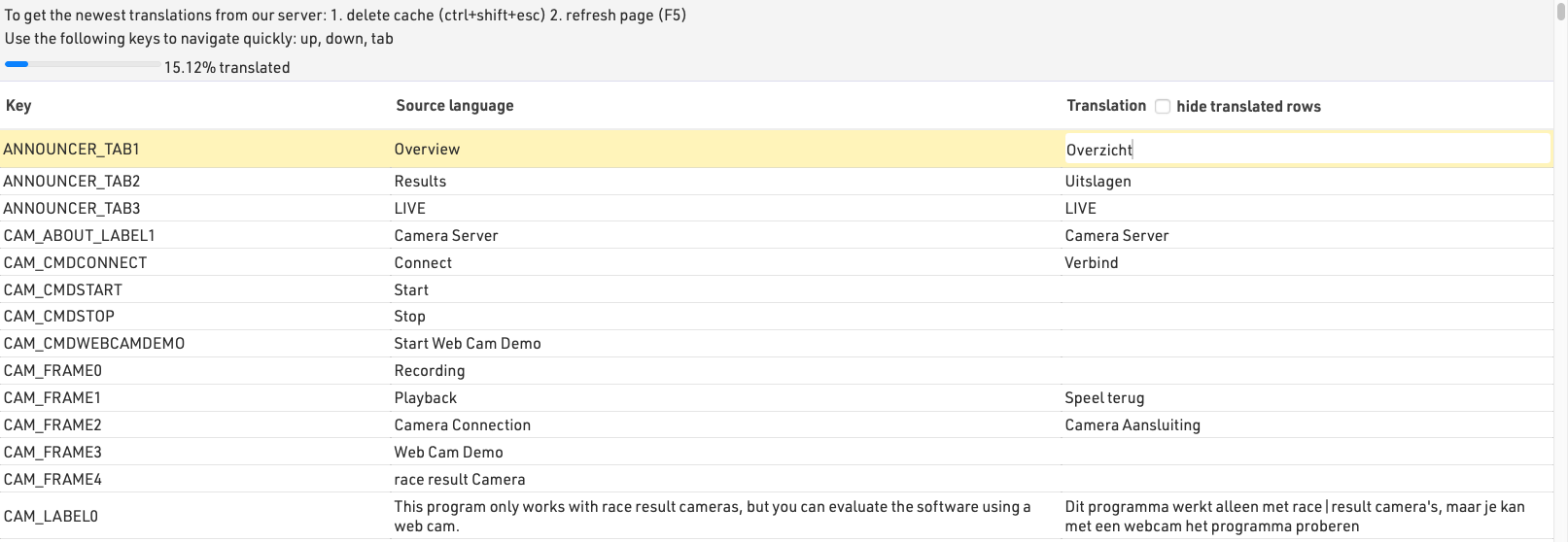
For additional languages which do not have complete translations we offer the possibility to update the translation tables. These translations are used globally and so should be translated accurately for a global audience and not specific use cases. Translations will also be available in a subsequent offline update.
To access the translation tables, first login to RACE RESULT 14 online, and open an event.
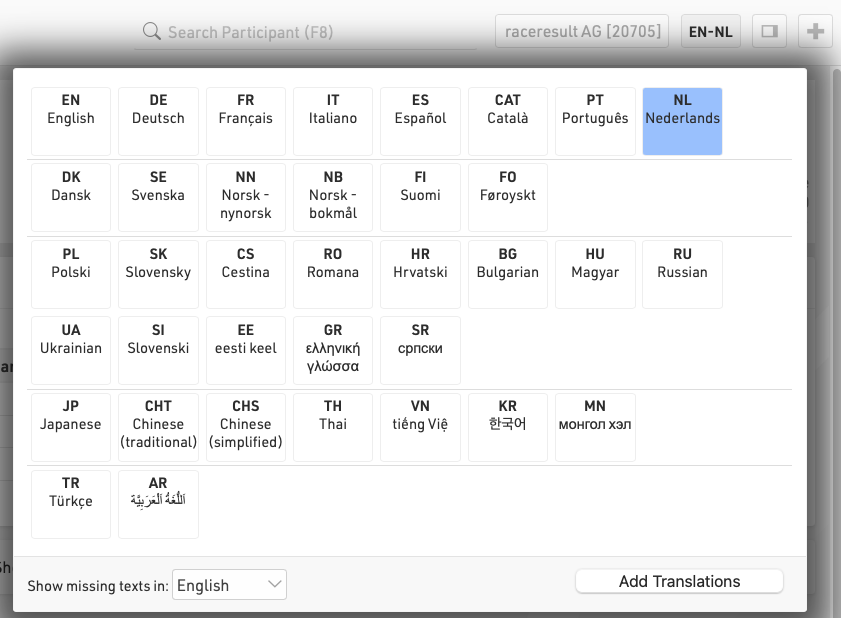
Select the language you wish to translate, if not already selected, once selected a button will appear to open the translation tables. You can also choose in which language missing translations should be shown if you would prefer to translate from an alternative language to English.
Once opened the translation table will show the internal field name, the English translation (or selected missing field language) and the language to translate to. Clicking on a field under the language to be translated will allow the field to be edited. Each translation is automatically saved when moving away from the field.
The table can also be filtered to only show fields which have not yet been translated.