Participants ⇒ Data Analysis offers three functions:
Data Analysis
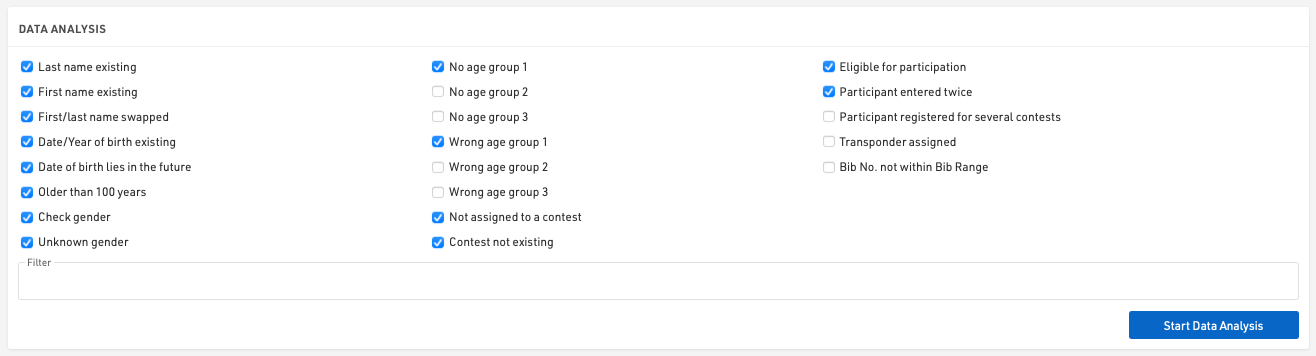
This tools can test the participants' data for numerous errors. Simply select the types of errors you would like to check for, an optional filter on participants can be applied, and click Start Data Analysis to see the results.
Club Name Compare
This function finds participants with similar club names. These may be actually the same club with different spelling. If a Team Score uses the club field to join participants together, they need to be spelled in the exact same way.
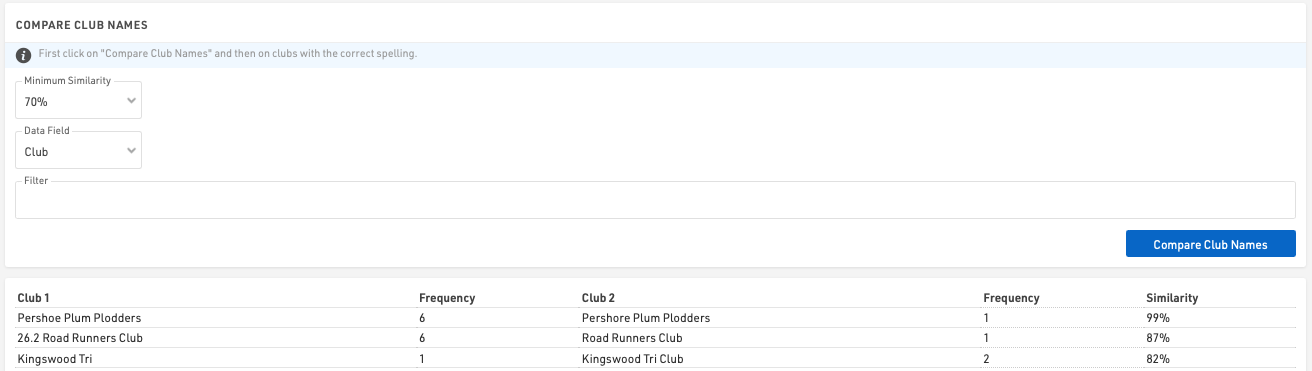
Click the button Compare Club Names to start the comparison and see the results. Then unify the spelling by clicking on the correct version in the list of results.
You can also define a minimum similarity two clubs need to have to show in the results and you can also run the comparison based on an Additional Field instead of the club field.
Name Compare
Name Compare finds participants with similar names. If you use RACE RESULT 14 for a series scoring, you may import participants from different sources (the different races). You may have different participants with different spelling who are actually the same person. This function can find these issues and join the participants together.
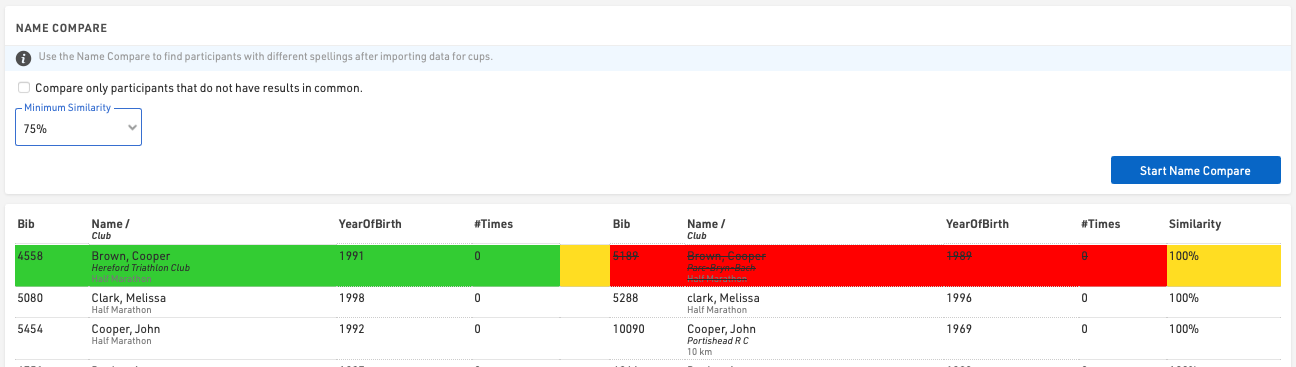
You can also define a minimum similiary two participant names need to have to show in the results. If you activate Compare only participants that do not have results in common two participants will only be compared if they do not have times in the same result. Imagine you have result 1,2,3, and 4. If one participant has times in result 1 and 4, and the other in 2 and 3, they may be the same person in a series scoring. If, however, they both have a time in result 2, they cannot be the same person in a series scoring.