


The Test Transponder is the ideal tool to identify faulty passive antenna elements. It is designed to detect in 1m height with a narrow variance between detecting and not detecting. Only this enables you to do a true assessment of the cable and antenna quality. Bib Transponders detect much higher and are not a proper tool for testing the antenna performance!
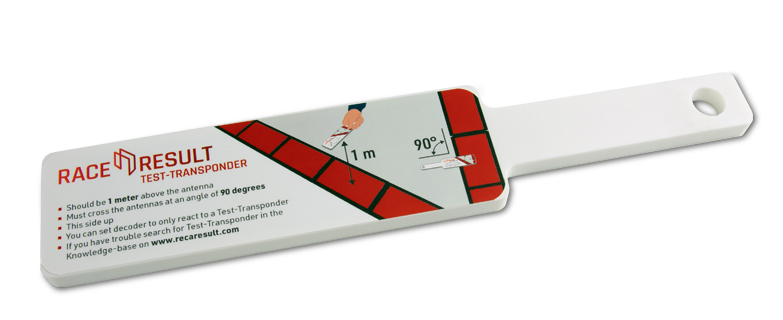
How to use the Test Transponder
- Make sure the decoder is in Test Mode, with the following settings activated.
-
Dead Time: 5000 ms Reaction Time: 0850 ms On detection: BEEP and BLINK ► Test Mode: Test transponder only ◄ - Hold the Test Transponder stickered side up directly over the center of the antenna, at 1 m height.
- The Test Transponder should start reading at around 1 Meter height, and if you lower it, definitely before 75 cm height.
If the Test Transponder does not read, review the following requirements, and repeat steps 1-3:
- Check the cable connection to the decoder
- Make sure only unfolded elements are connected to the decoder.
- Open the mat, check the connection to the antenna and look for potential damage at both the antenna and the cable.
- Make sure the antenna lid lies correctly on top of the antenna. It needs to have contact to the antenna itself.
- Check for water/moisture inside the antenna and clear it, if applicable.
- Remove anything covering the antenna mat (carpet, ice, etc.).
- Is there overhead metal (e.g. finish gantry truss)? If so, try moving the antenna a bit.
- Is there another decoder close by? Make sure they are not too close and/or running on different frequencies.
- Is there any other equipment on the same frequency (e.g. microphones)?
- Does the decoder report any errors? Please refer to the error codes.
- Check another decoder and antenna.
- If the problem occurs with the same antenna at a different decoder, most likely the antenna is faulty.
- If the problem occurs with a different antenna at the same decoder, most likely the reader (decoder) is faulty.