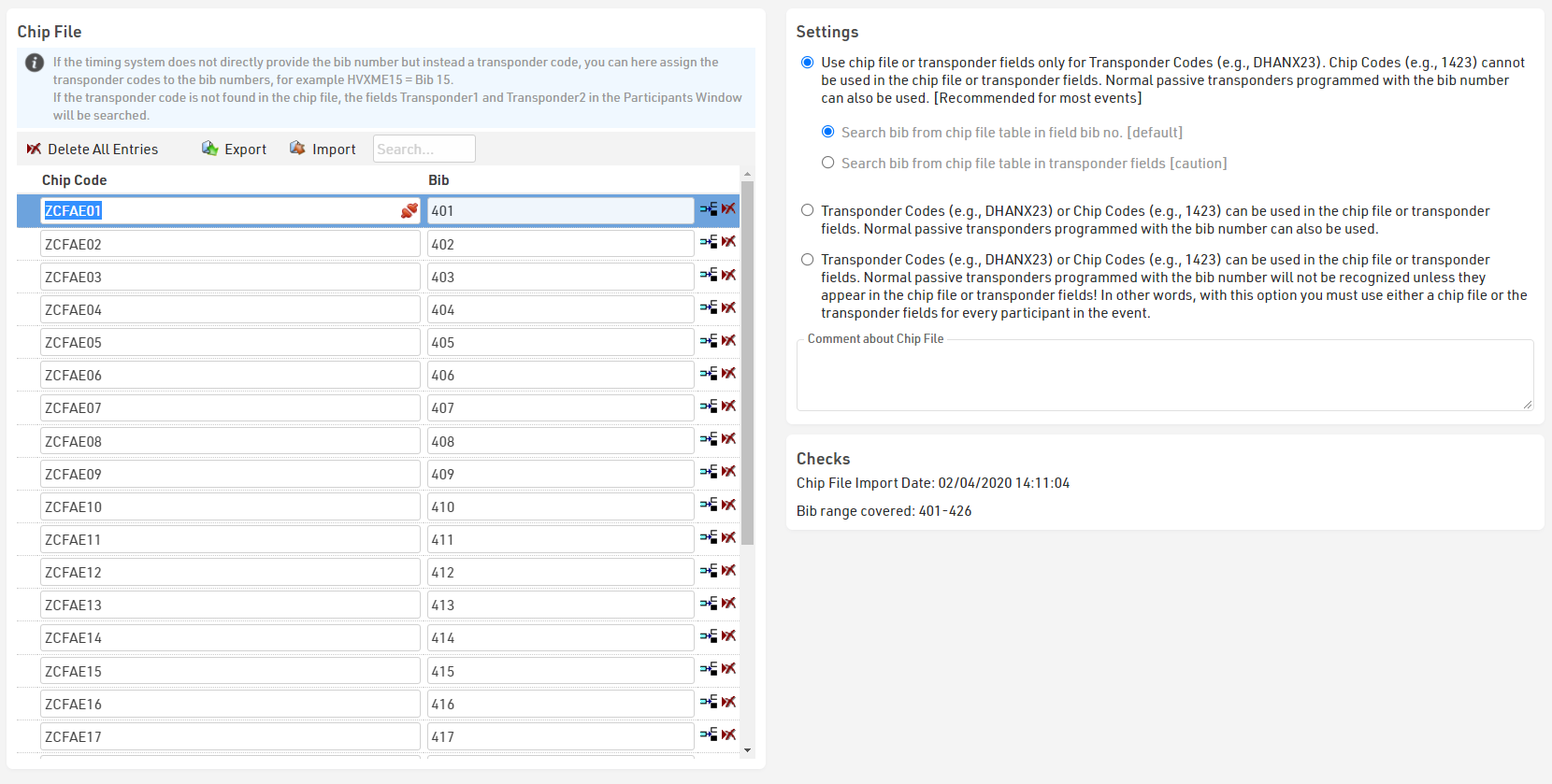
Depending on your setup and type of transponders used it may be necessary to assign transponders to participants to ensure timing data is assigned to the correct participant.
By default, when using Passive RACE RESULT Transponders where the bib number is equal to chip number then it is not necessary to use a chip file or any transponder assignment. In most cases, when working with passive transponders the chip number (or chip code) is the same as bib number and so times are automatically allocated.
When working with reusable transponders such as the RACE RESULT HuTag or the Active Transponders, or when chip number is NOT equal to the bib number then you will need to use a chip file or alternative transponder assignment method.
A chip file can be entered or imported in Timing ⇒ Settings ⇒ Chip File. Simply enter chip code and bib number in the table, or import an Excel, TXT or CSV file with the corresponding Bib and Chip Code fields.
You can also search the chip file by Chip Code or Bib to look up specific participants.
If you are using passive transponders with a chip file and need to map a different chip and bib numbers then you should pay attention to the Chip File Settings.
You can also create a two-step mapping for transponders which may be pre-labelled but where chip label is not necessarily equal to bib number.