After Save Actions are triggered when a registration is completed, after either the last step in the registration form or online payment if enabled.
Reassign Bib Numbers
This function is only available for self service forms. If a participant changes their contest through a self service form, a new bib number can automatically be assigned. The participant gets the next free number in the Bib Numbers of the new contest. You can also use a filter to limit when a new bib is assigned. If the current bib is still valid (contest + filter), no change will be applied.
This action is executed before all other After Save Actions. This means that any later actions that need the bib number, such as creating an invoice, already use the new bib.

Create Invoice
Invoices can be created automatically when a registration is completed, for example so the invoice can be attached to the registration confirmation email. The invoice is generated according to your invoicing settings.
Note that this option only generates the invoice. To send it right away, add it under Attachments in the Email Templates for the confirmation email. You can also use a filter to limit when invoices are created automatically.

Save Value
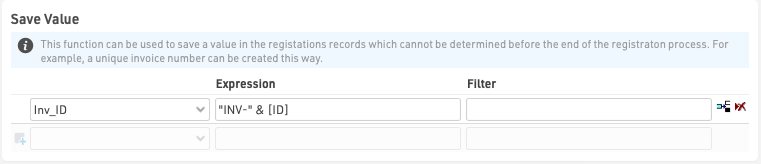
This can be used to save a value in the registration records which cannot be determined before the end of the registration process, for example a unique invoice number or registration Identifier.
The value can be saved to any default field or additional field and should be entered as a regular Expression which can use any other fields or functions. Optionally a filter can be applied to only save this value for specific participants.
Send E-mail
Send e-mail allows sending of any pre-configured Email/SMS Template, often used as a registration confirmation. Different templates can be filtered to different participants if required, for example a group registration mail may be configured differently from a single registration.

Print Certificate
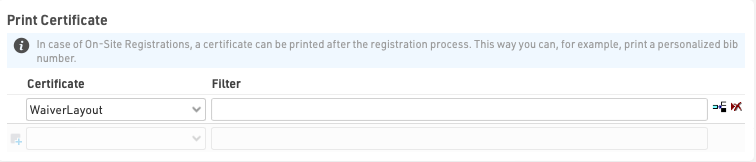
This is to be used when the registration form is used for on-site registration which could be used for example to print a bib number directly after registration.
Save Certificate
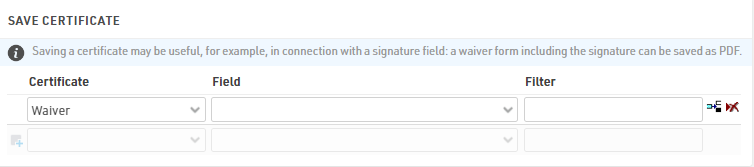
Saving a certificate can be useful in connection with a signature field, where the signature on a waiver-form is saved as a PDF.