


Ubidium can connect directly to Finishlynx via the LapTime Plugin by acting as a server, communicating via the port 3999.
For this, both Ubidium and the Photofinish camera need to be on the same network.
Once the local network is built, you can enter the following settings in Finishlynx, under the menu LapTime > Options
The IP Address in the settings has to match the IP of your Ubidium.
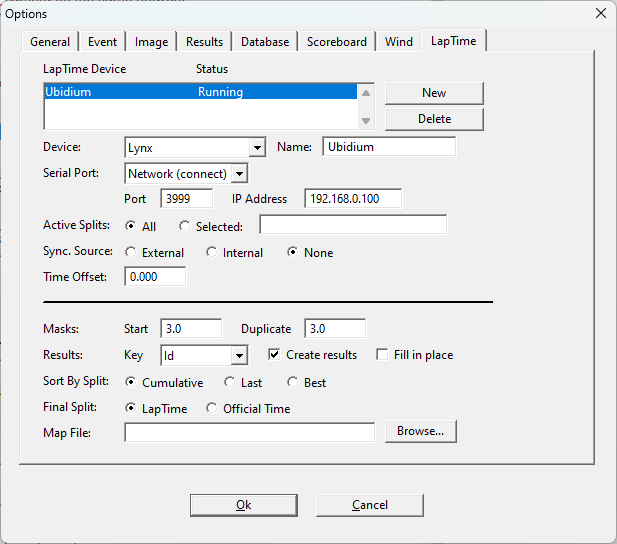
Once the connection has been established, you can see the passings directly pushed from Ubidium to Finishlynx.
When using the LapTime plugin, you will be required to enter the number of laps, together with a minimum lap time in order to exclude double transponder detections; in the following image, we set 4 laps with 30 30-second minimum. This is the time between two separate detections from the same transponder.
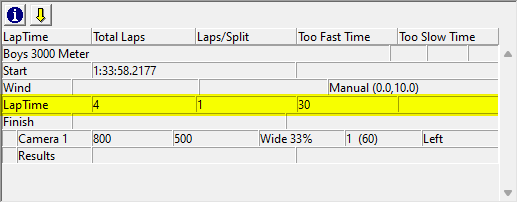
Note that if two detections are received with a lower gap time than the one set, the data will be displayed in red.
It is important to remember that the transponder of the participant must be entered in the field ID of each record: this will be the identifier for counting the laps of each participant.
