Both inside RACE RESULT 14 and on my.raceresult.com the user can choose between different languages. RACE RESULT 14 contains a translation table for every language for any default / fixed texts and labels. Additionally your user defined texts like Event name, Contests, Additional Fields, List Headers, Email Templates and more can also be defined in different languages.
Default Fields
All text inputs which support multi-language translations have a language selector on the right:
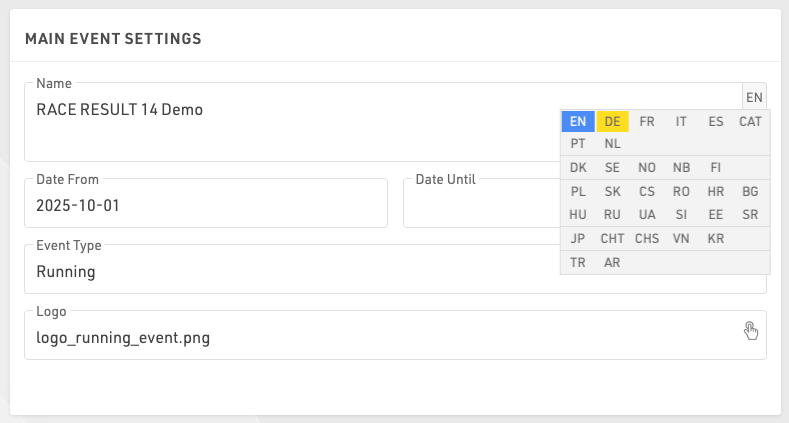
Simply move the mouse cursor there and select the language for which you would like to enter the translation. The languages that already have a translation are marked blue.
If a box has more than one language, it is marked blue as well:
Additional Fields
Values in Additional Fields. Each value can be defined in multiple languages, each value is contained within a brace with each language defined. e.g. "{de:Bier|en:Beer|jp:ビール}".
- Within the brace enter the language code followed by a colon, enter the respective value. Multiple languages are separated by a vertical bar.
- Close the brace and separate the next value with a semicolon as normal.
Displaying Translated Fields
On my.raceresult.com and when using links to Checkin Kiosks and Presenter Screens the default browser language will automatically be used.
A specific language can be set by appending the query parameter &lang=XX to the URL.
To display the value of a field (e.g. [Contest.Name] or [Event.Name]) in a specific language use the Text() function.
Text([Field];"lang")
For use in e-mail templates where the value for the participant's Language field will be used to choose the template, you can replace "lang" with [Language].
If a field does not have a translation in the selected language then English will be shown instead as a fallback. If no English translation is found then the first available translation will be used.
Translating RACE RESULT 14
For additional languages which do not have complete translations we offer the possibility to update the translation tables. These translations are used globally and so should be translated accurately for a global audience and not specific use cases. Translations will also be available in a subsequent offline update.
To access the translation tables, first login to RACE RESULT 14 online, and open an event.
Select the language you wish to translate, if not already selected, once selected a button will appear to open the translation tables. You can also choose in which language missing translations should be shown if you would prefer to translate from an alternative language to English.
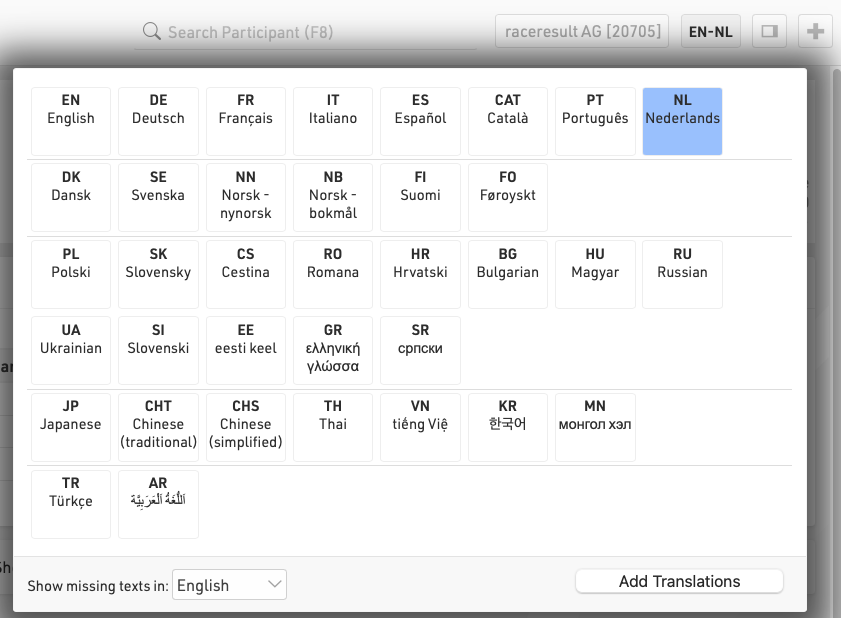
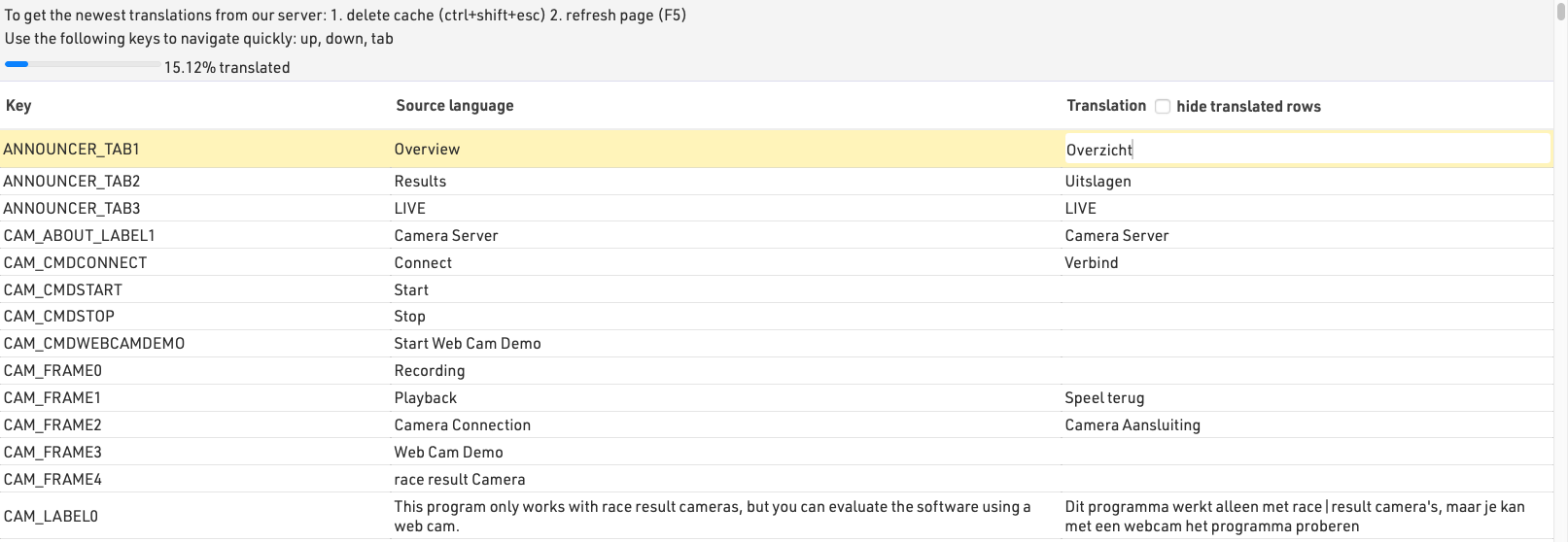
Once opened the translation table will show the internal field name, the English translation (or selected missing field language) and the language to translate to. Clicking on a field under the language to be translated will allow the field to be edited. Each translation is automatically saved when moving away from the field.
The table can also be filtered to only show fields which have not yet been translated.
Available Language Codes
| Language | Language Code |
| Català | cat |
| Chinese (simplified) | chs |
| Chinese (traditional) | cht |
| Czech | cz |
| Dansk | dk |
| Deutsch | de |
| English | en |
| Español | es |
| Français | fr |
| Hrvatski | hr |
| Italiano | it |
| Japanese | jp |
| Magyar | hu |
| Nederlands | nl |
| Norsk | no |
| Polski | pl |
| Português | pt |
| Russian | ru |
| Slovenski | si |
| Slovenský | sk |
| Suomi | fi |
| Svenska | se |
| Thai | th |
| tiếng Việ | vn |
| Türkçe | tr |
| Ukrainian | ua |
| ελληνική γλώσσα | gr |
| български език | bg |
| اَللُّغَةُ اَلْعَرَبِيَّة | ar |
| 한국어 | kr |