


Event File
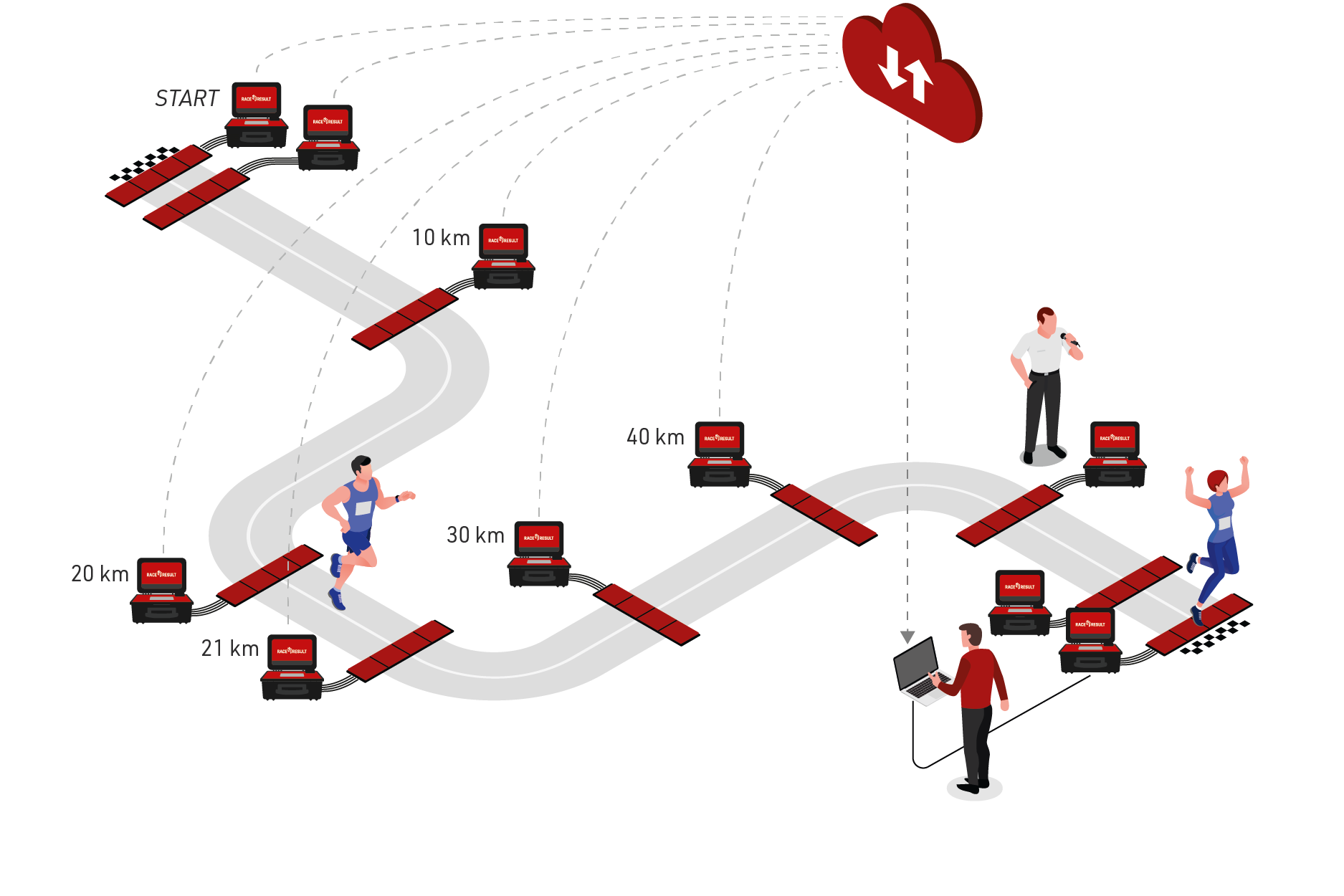
Participant times are recorded at the start, 10km split, 20km split, 21.1km split, 30km split, 40km split and finish. We also included an ‘announcer’ system, so we know who is about to cross the finish line.
Preparing the Event File
- Download a copy of the marathon event file.
- Define the event settings (date, location, time zone)
- Import the participants
T0 Start Time
In this example we included an Additional Text Field ‘Wave’. It is used to show participants what wave they will start in depending on their time objective and set their T0 start time.
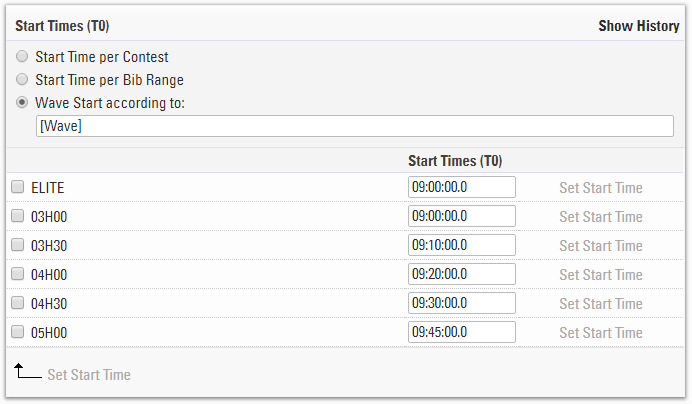
We set the Start Time (T0) by Wave Start according to the ATF [Wave]. This will enable us to enter in the start times for each wave.
Splits Setup
Time mode is set to score by Gun Time, which is according to their starting wave.
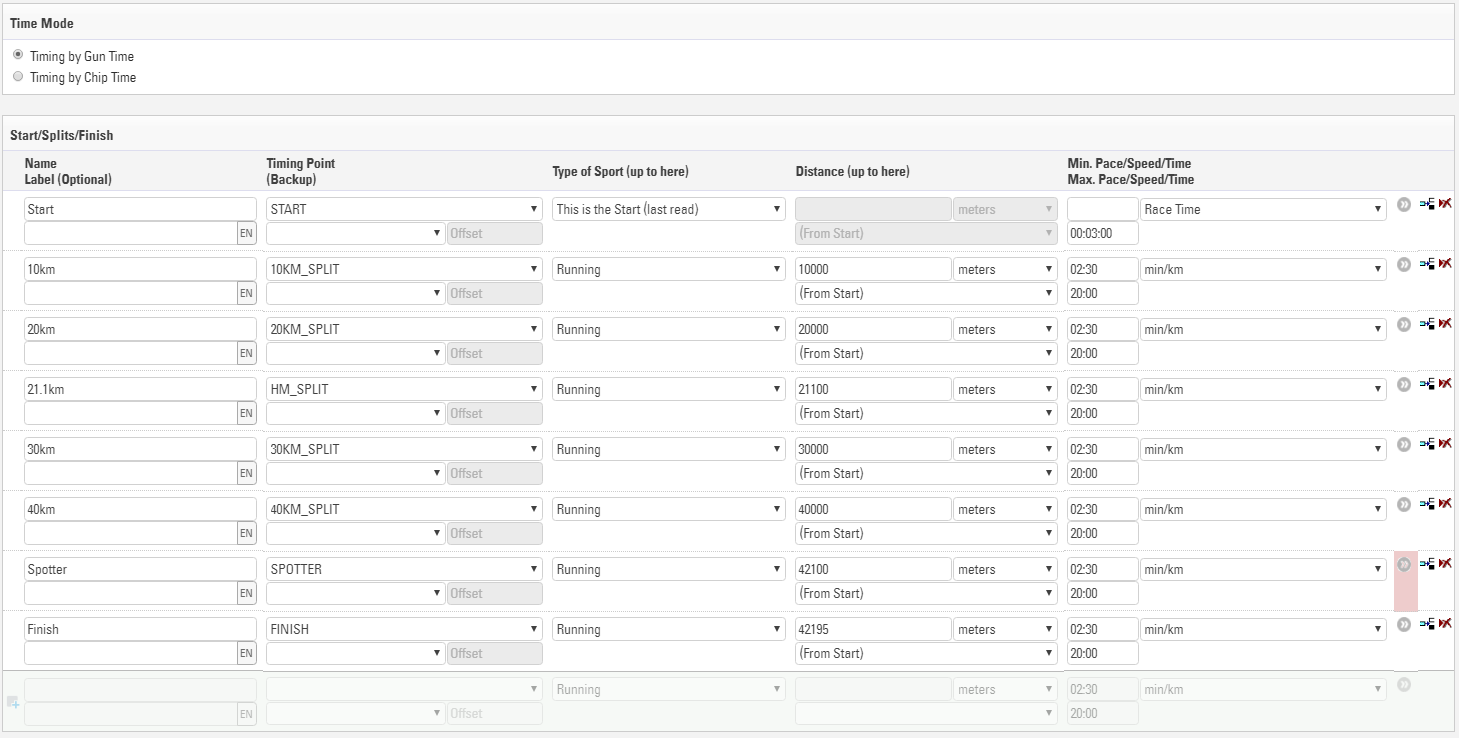
The spotter is set to an Internal so that this will not be published in the online leaderboards.
Legs are setup below, we have a leg defined for each half of the race.

Estimated Finish Time Calculation
Belinda Ward just crossed the 30km mark and we want to know what time she is expected to finish
Splits automatically provide predicted times for any Splits which haven't recorded a time. This is based on the participants current average pace, the sector distance and the sector minimum pace / time or maximum speed.
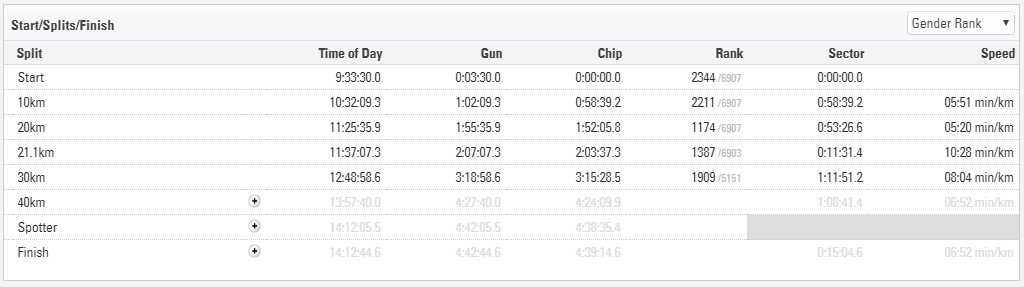
Predicted times are shown greyed out, but can be inserted as manual times by clicking the plus icon if needed. This can be accessed in an output list with [Finish.Predicted]
Speed and Pace Calculation
Each type of sport included with Splits has a default unit for speed or pace, this may also vary depending on region according to the normal unit for speed, this unit can also be edited for each split individually.
To call the speed or pace for a split simply use [SplitName.SpeedOrPace], in our Live list we use this with the selector to return their current pace, this also returns the unit as text.
{Selector}.SpeedOrPace
Announcer List
We want to enable the announcer to follow the race and to be able to know which participant is going to cross the line next.
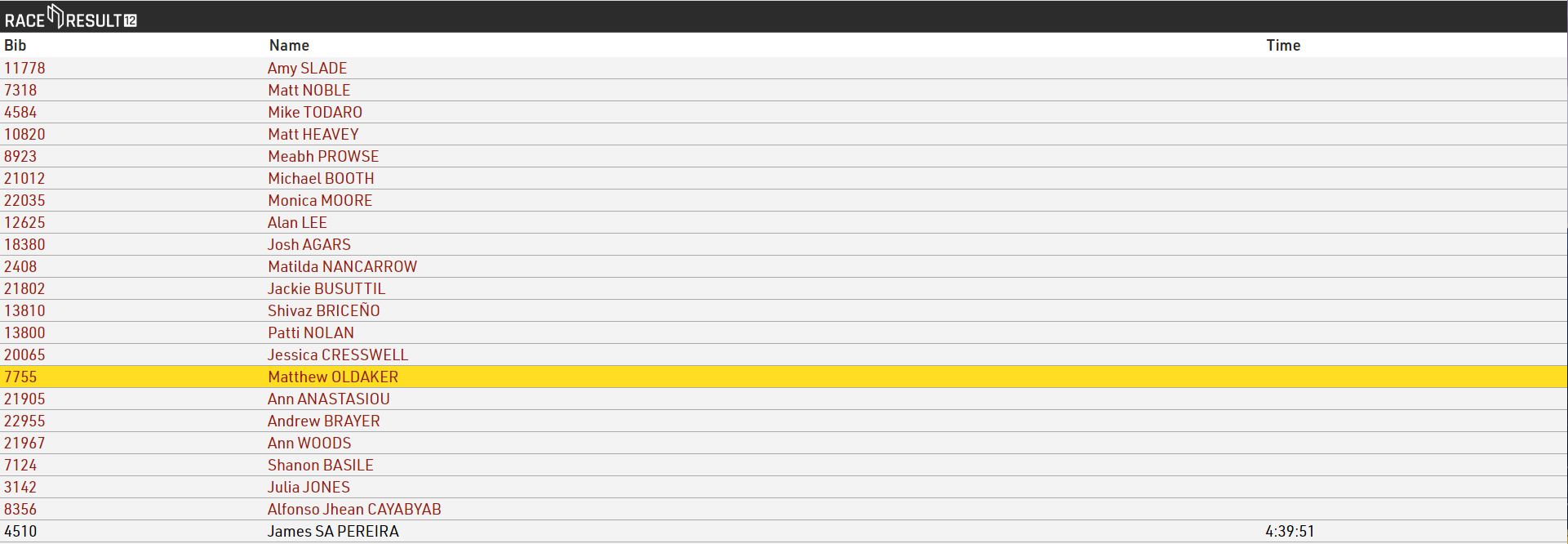
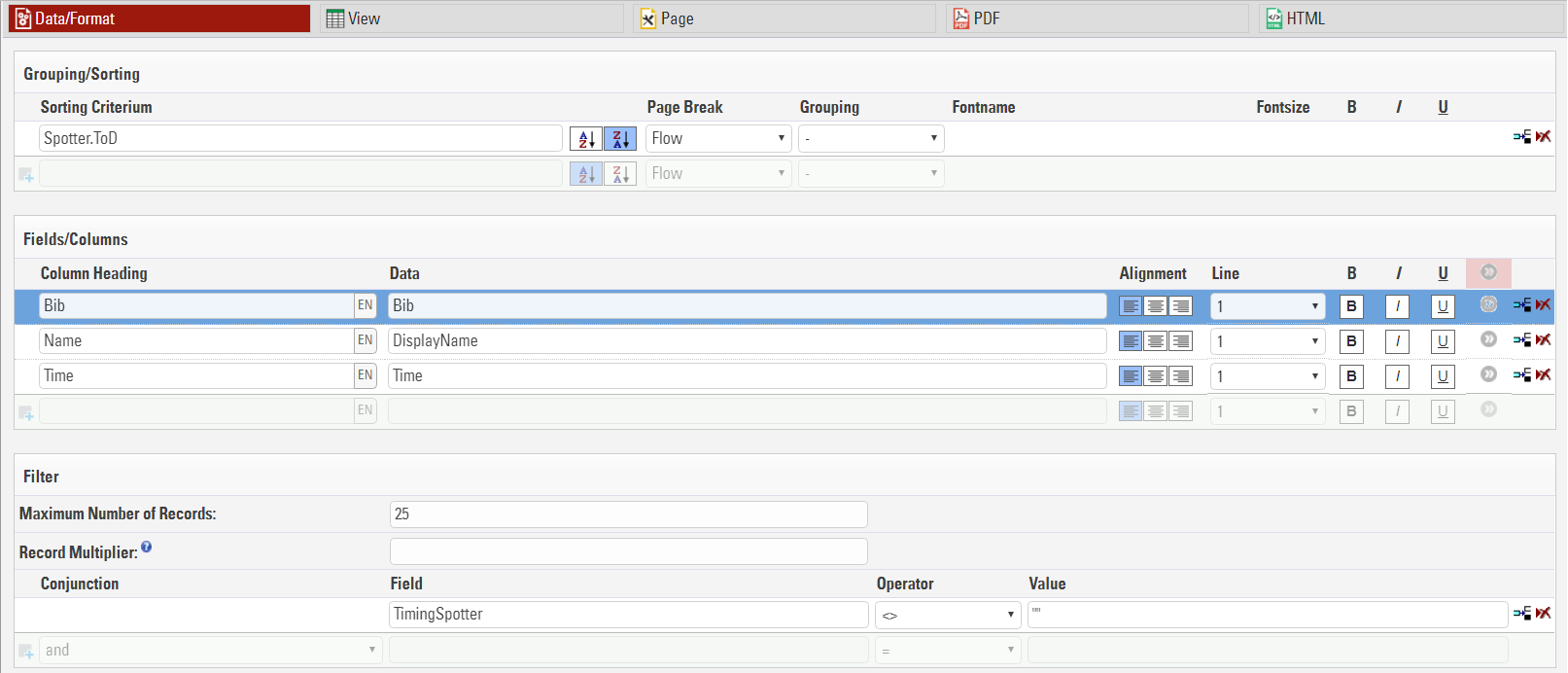
The Live Finish Line list is sorted by [Spotter.TOD] the time of day that the participant crosses the spotter system and we sort it in reverse order to show the last at the top.
We can format the output list to show participants who have crossed the spotter but not yet crossed the finish line in a different colour using dynamic formatting. Participants will be shown in red when they are approaching the finish and turn black when finished.
The Present Results tool will display the results automatically in real time. Perfect for the announcer at the finish line.
Dynamic Formatting
If [Finished] is true then use color rgb color 0,0,0 (black), otherwise use rgb color 157,25,13 (red).
if([Finished];"C(0,0,0)";"C(157,25,13)")
Read more about the Dynamic Formatting options.
Online Result Output
- Live shows what location and time the participant was last seen, current net time, expected finish time of day and expected net time.
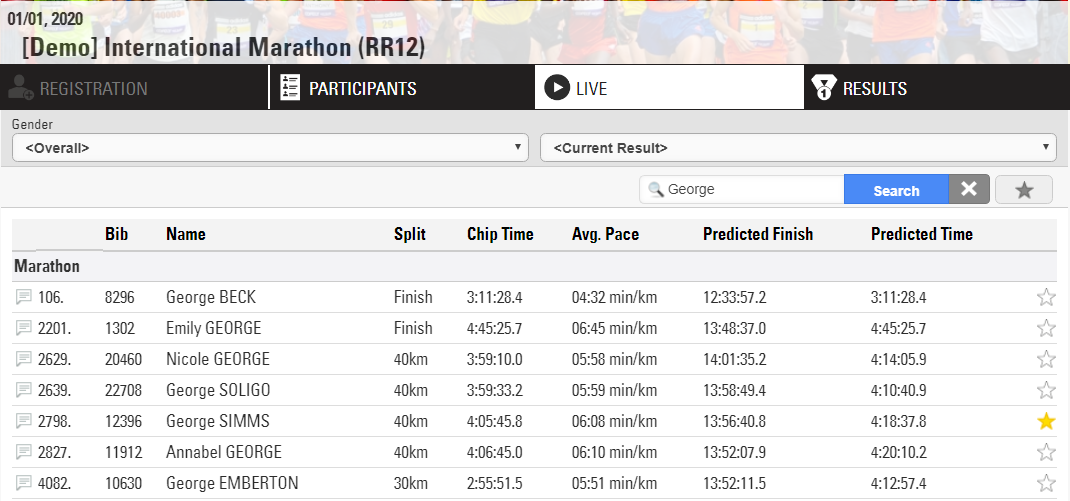
e.g. George Simms has passed the 40km in a current time of 4:05:45, at this pace he is expected to finish at 1:56pm with an expected net time of 4:18:37
Users can search for runners by name, bib, club, etc and can be marked as a favourite for one or multiple friends competing in the race
-
Results show the rank, bib, name, age group and overall finish time.
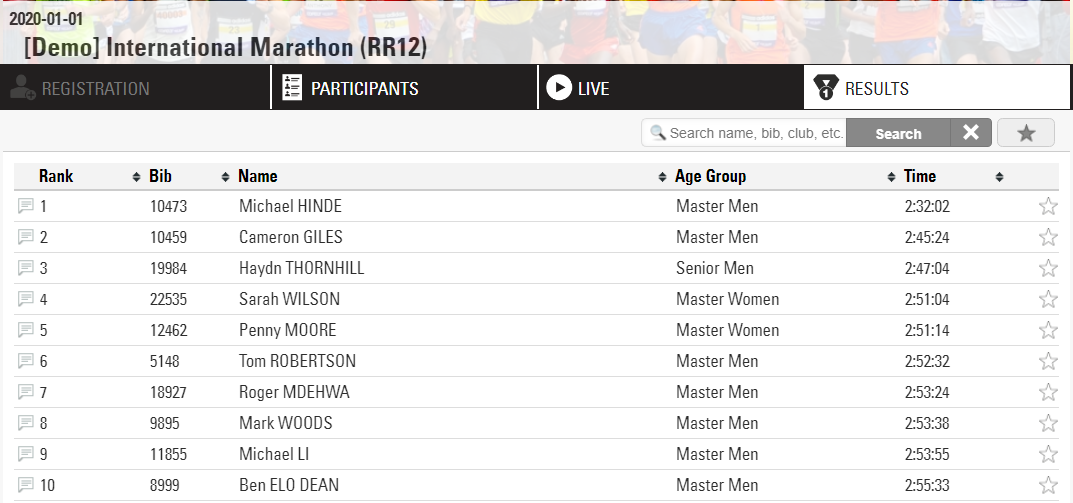
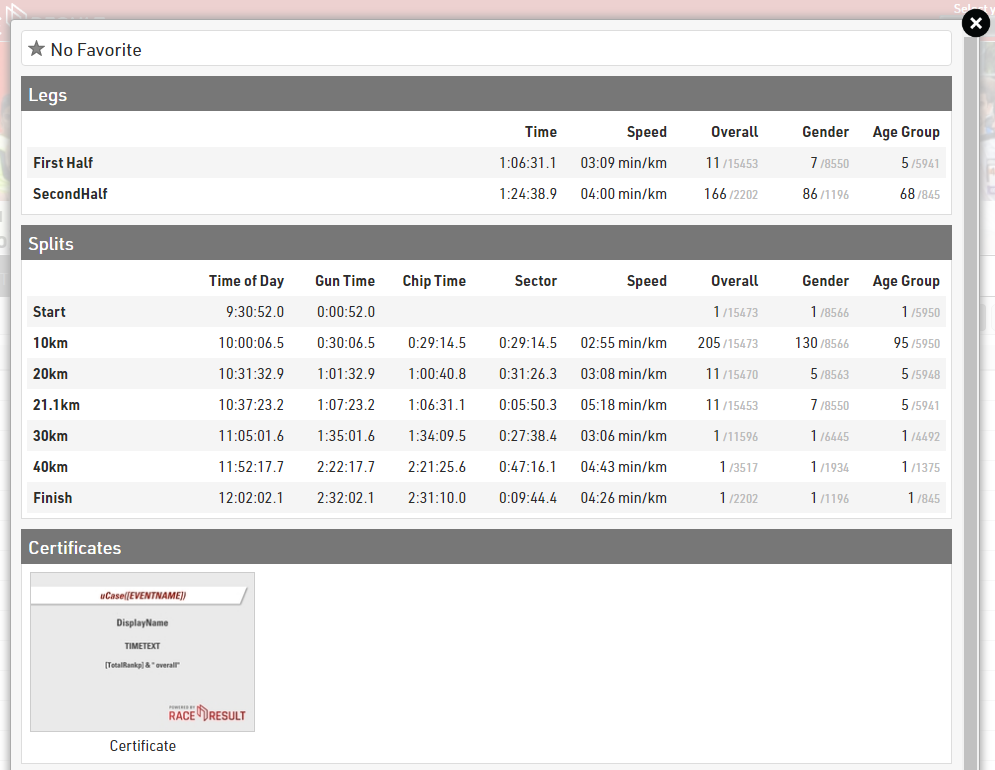
Selecting a specific runner displays an in-depth look at their run over the course with split times, age group rank, speed and pace.
Additional Tools
RACE RESULT 12 has a collection of tools to assist in the presentation and analysis of results. Consider using Contest Overview, Present Results or Time Visualisation at your next event.