


Entry Fees are automatically calculated for all participants according to the Entry Fees setup. The currency is always based on the Currency defined in the Event Basic Settings.
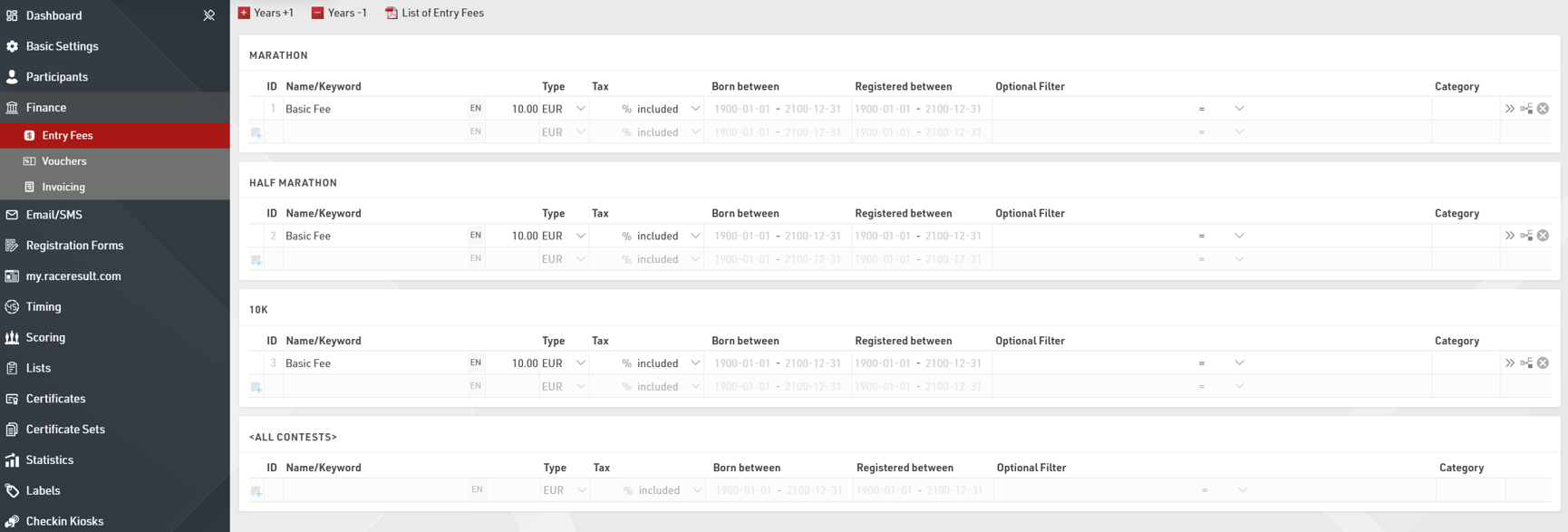
Entry Fees can be defined individually for each Contest or applied to all Contests.
To add additional Entry Fees you simply need to define the Name and Value, the Entry Fees will be automatically applied to all participants or you can define some additional filters for individual Entry Fees.
For example, if you wish to charge an additional fee for participants who select a T-Shirt during the registration you would apply a filter on the TShirt field.

If Entry Fees should be applied for different ages then the Born Between filter uses a date range which considers the participant DateOfBirth field to apply the Entry Fee.
The Registered Between filter gives the option to create tiered pricing based on the date of registration, this again uses a date range which is evaluated at the time of registration, or based on the date the participant record was created.