


When sending emails from RACE RESULT 14 you can use our servers to send a maximum of 10 emails (excluding automatic registration confirmation emails), or you can connect your own SMTP server to send a much larger amount. These SMTP settings apply to all e-mails sent through RACE RESULT 14.
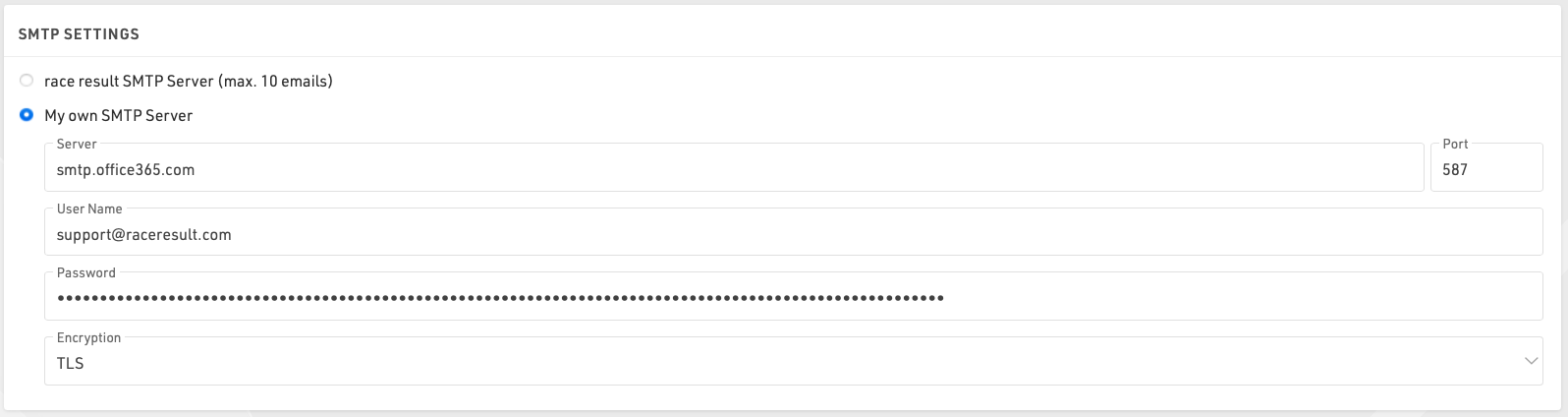
You will need to find the settings for your mail server SMTP, these are normally available from your hosting provider, normally the username will be your email address with the corresponding password, note that the password will be encrypted when saved so it cannot be copied again.
When setting up your SMTP server for the first time it is advisable to test this by sending an e-mail to yourself, this can be done in a test event by adding yourself as a participant.
Here are some common SMTP server settings. Please note that these settings change and might only be accurate up to the date this was written 3/17/2020.
Office 365 SMTP Settings
- Server address: smtp.office365.com
- Port: 587
- Encryption: TLS
Outlook SMTP Settings
- Server address: smtp-mail.outlook.com
- Port: 587
- Encryption: TLS
GoDaddy SMTP Settings Americas
- Server address: smtpout.secureserver.net
- Port: 465 or 587
- Encryption: SSL
Gmail SMTP Settings
- Server address: smtp.gmail.com
- Port: 587
- Encryption: TLS
Gmail requires an extra level of security. You will need to generate an additional password on your Gmail account in order to use a Gmail SMTP. This generated password will be used instead of your normal Google account password.