


This function can be used to create an increasing number which will then be saved in an Additional Field.
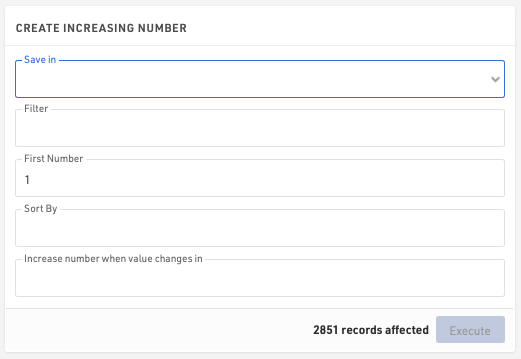
Save in: Select the field in which the number will be saved.
Filter: enter a filter if only a specific group of participants should be used.
First Number: define the starting number of the sequence.
Sort By: select a field by which the records will be sorted. In other words, in which order the increasing number will be assigned.
Increase number when value changes in: select a field which defines when the number will be increased by 1. If for example everyone in the same club shall have the same number, select Club. If however every participant shall receive a different number, select Bib.
Click Execute to create and save the number sequence.