


Multi-Line Lists are an easy way to put more information on a list, most commonly used for Details Lists for online results or Results with multiple splits which should be displayed. Each participant record can have up to 50 lines on the list, to create additional rows simply select a line number greater than 1.
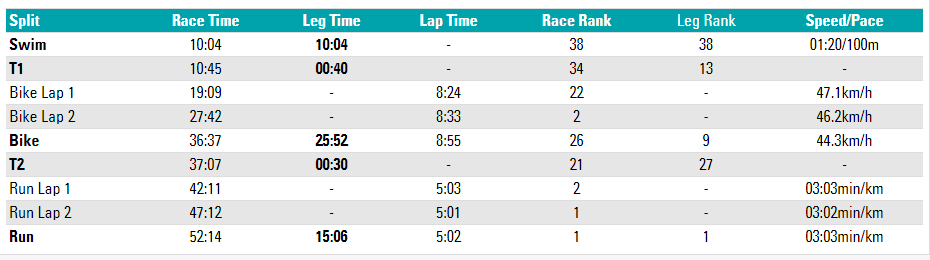
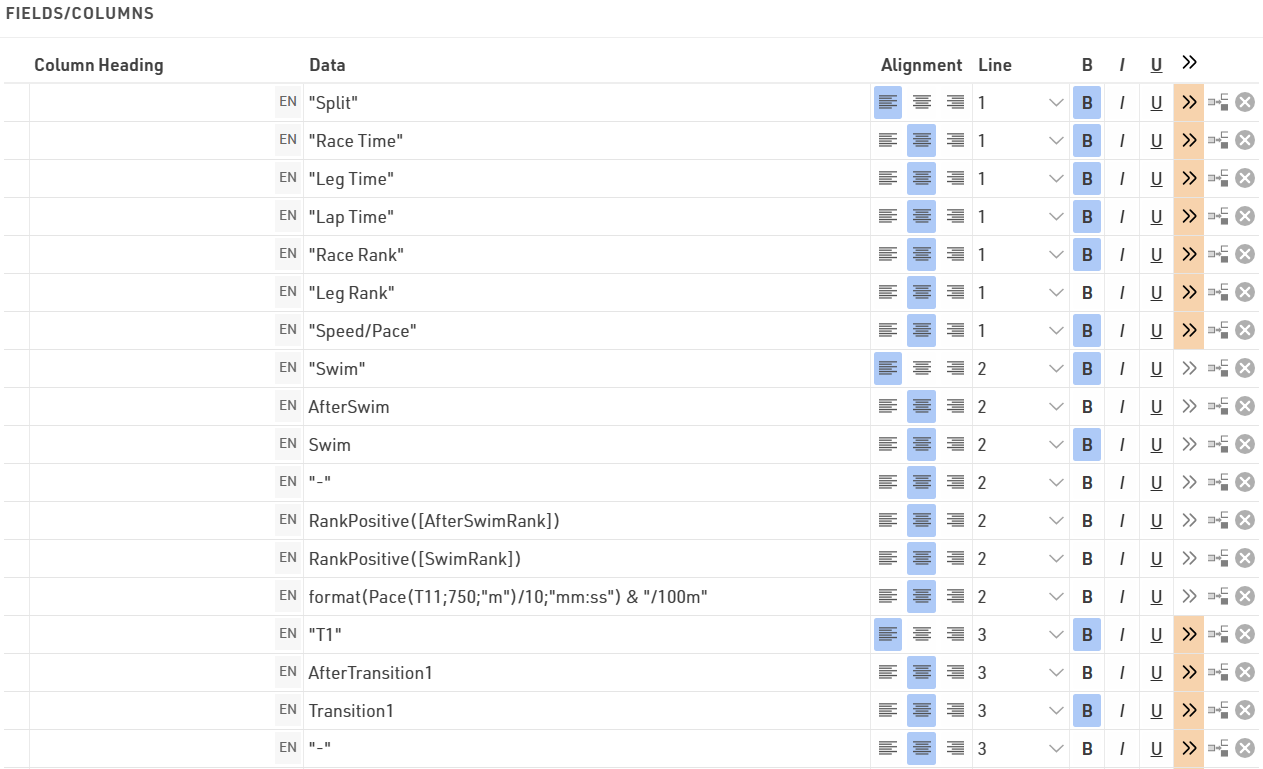
In this example each split for the race is shown on a new line, for each line the data fields are still shown in the order listed. The Row Headers are Line 1, using simple text with custom formatting. It may be necessary to add in blank fields using "" if you need columns to line up correctly.
Maybe you would like to have different column widths for the fields in the different lines like in the screenshot below: the lap times in the second and third line have different column positions than the basic information above. This is only possible in PDF output lists.
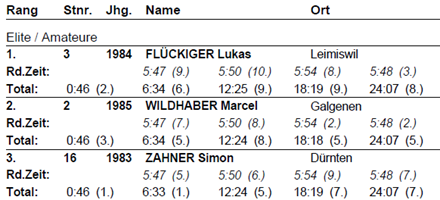
To do so, you have two options:
- Enter the exact column position in the extended field settings. This will disregard the column widths from other rows.
- Set a column offset. All lines will have the same columns, but for example in the second line the field will be moved one or several columns to the right, i.e. the previous column has a greater column span.