


In order to see how concrete changes affect the results sections, let's make some modifications. Go to the List window, choose Age Group Awards, and filter the contest to show Half Marathon. Then, click on the output format View. We will now change the race time of participant Kirsty Casarotto who has a time of 1:53:09 (2nd in Half Marathon Age Group Female 15-19) so that she will move into third place. To make the necessary changes, go to the Participants window and search for Kirsty by searching for her bib number (= 5304), or double click on her name in the output view to open her participant record. Next, click on Timing Raw Data and at first invalidate her finish detections by unticking the Valid both next to the Start+Finish reads at ~10:24, now to record a new time, the bottom under Add missing raw data entry enter 10:24:19 in to the Add missing raw data entry, then click Add.
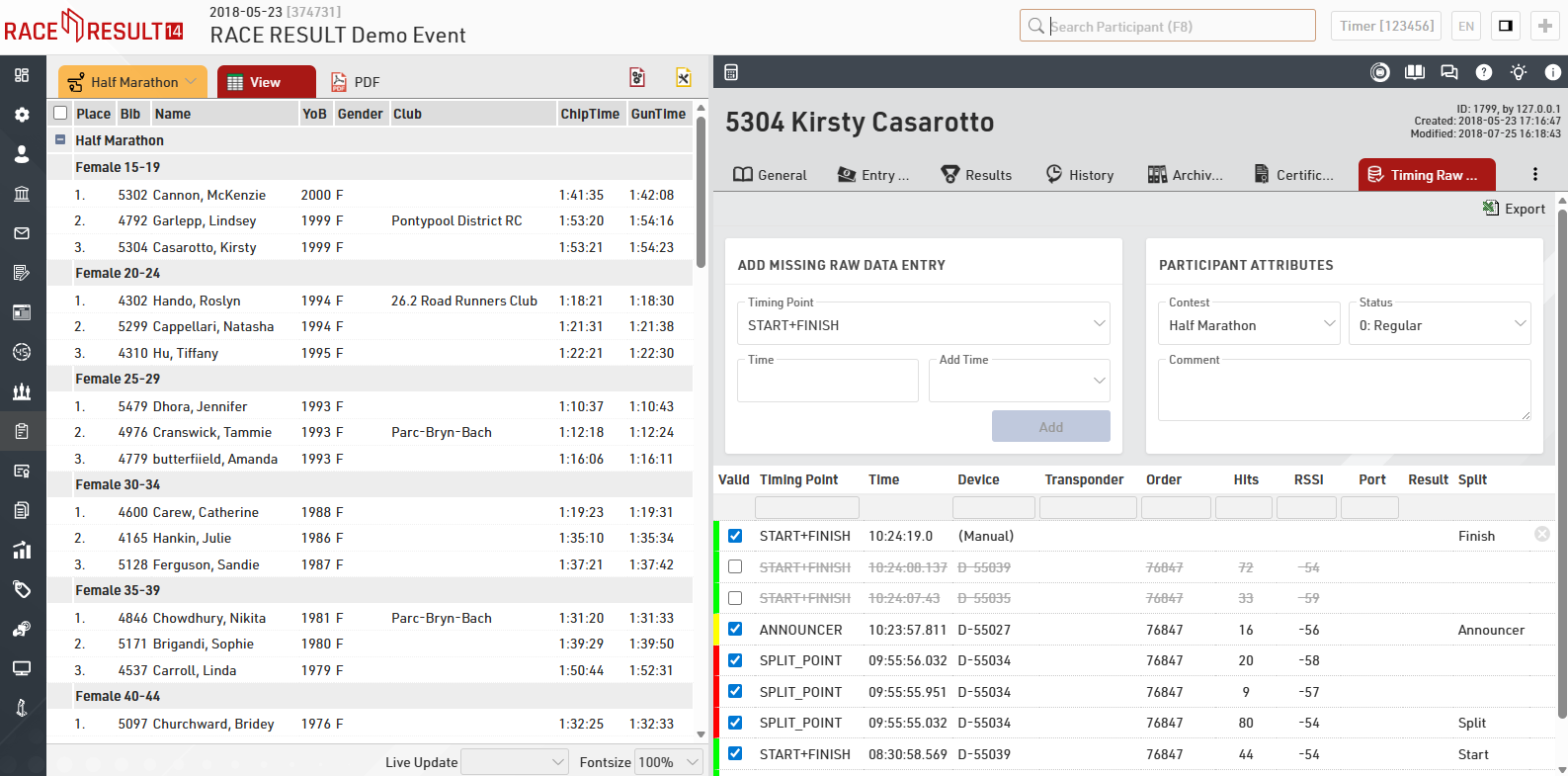
As soon as you click Add you will see this time is now listed in the Timing Raw Data as a Manual entry, manual data entries can also be deleted with the red X on the right hand side in case of any errors. Still in the Participants Window click Results and you will see that the Gun time for the Finish Split is now showing 01:54:23
Go back to the Output window and click again on View, you will now see the updated results list with Kirsty listed as 3rd in her Age Group.
Next, we will modify Kirsty Casarotto's year of birth which will shift her into a different age group. Access the Participants window and click on General. Change the Year of Birth from 1999 to 1991. The change will be reflected immediately by changing the age group from Female 15-19 to Female 25-29 automatically when you exit the Year of Birth entry field.
Before:
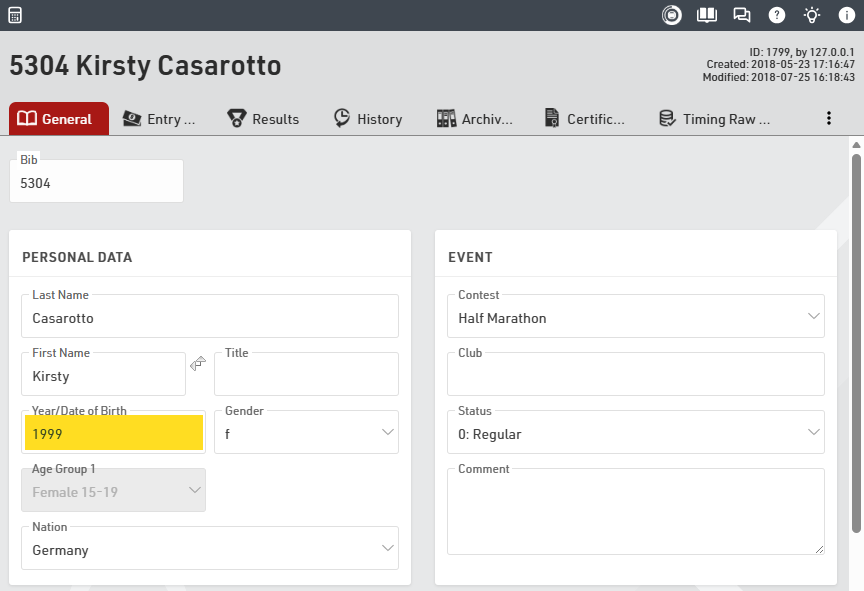
After:
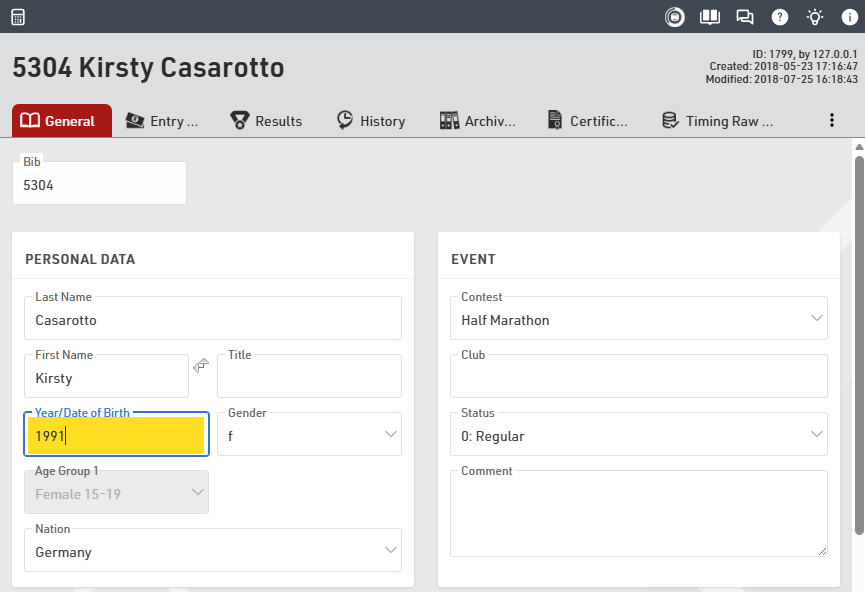
In the upper left hand corner, you will again see the disk symbol which means that the change has not been saved, yet. Now, click on History - navigating away now saves the change automatically. RACE RESULT 14 saves all modifications when navigating to a different tab, participant, or when you click on the disk symbol. Looking at the History of this participant, you now see all modifications that have been made to this particular participant so far:
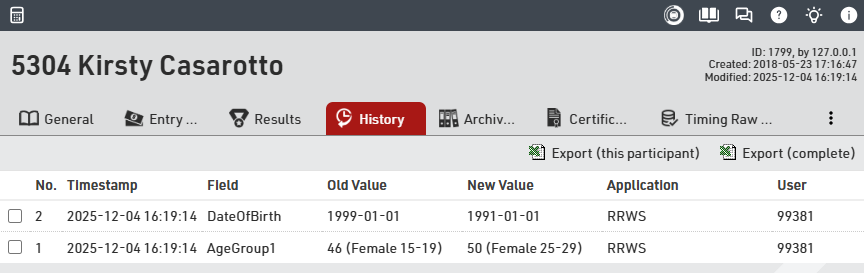
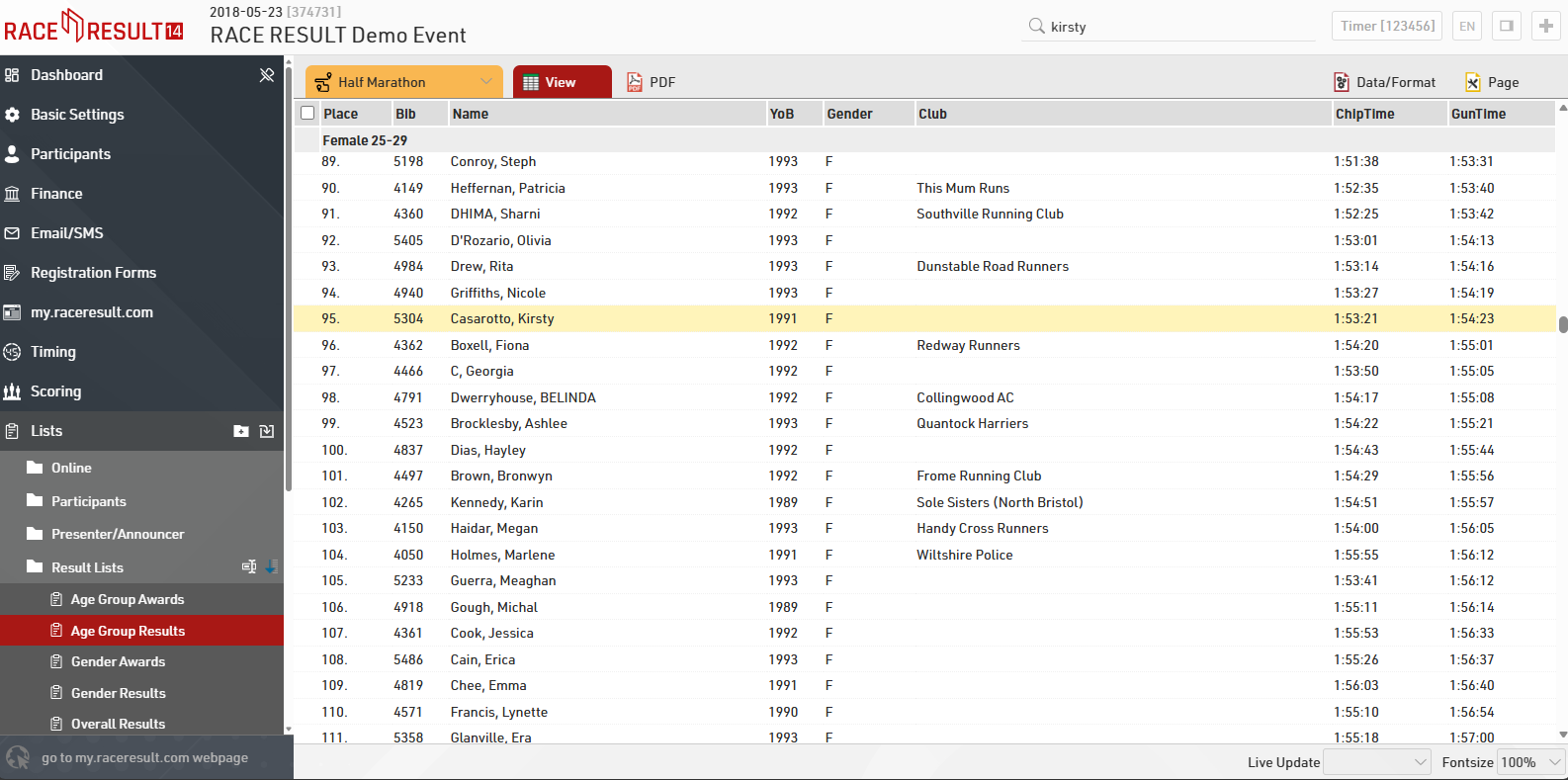
If you go back to the Output Lists and open Age Group Results, you see that Kirsty Casarotto is now included in age group Female 25-29 with a Gun Time of 1:54:23. She is ninety-fifth in that age group.
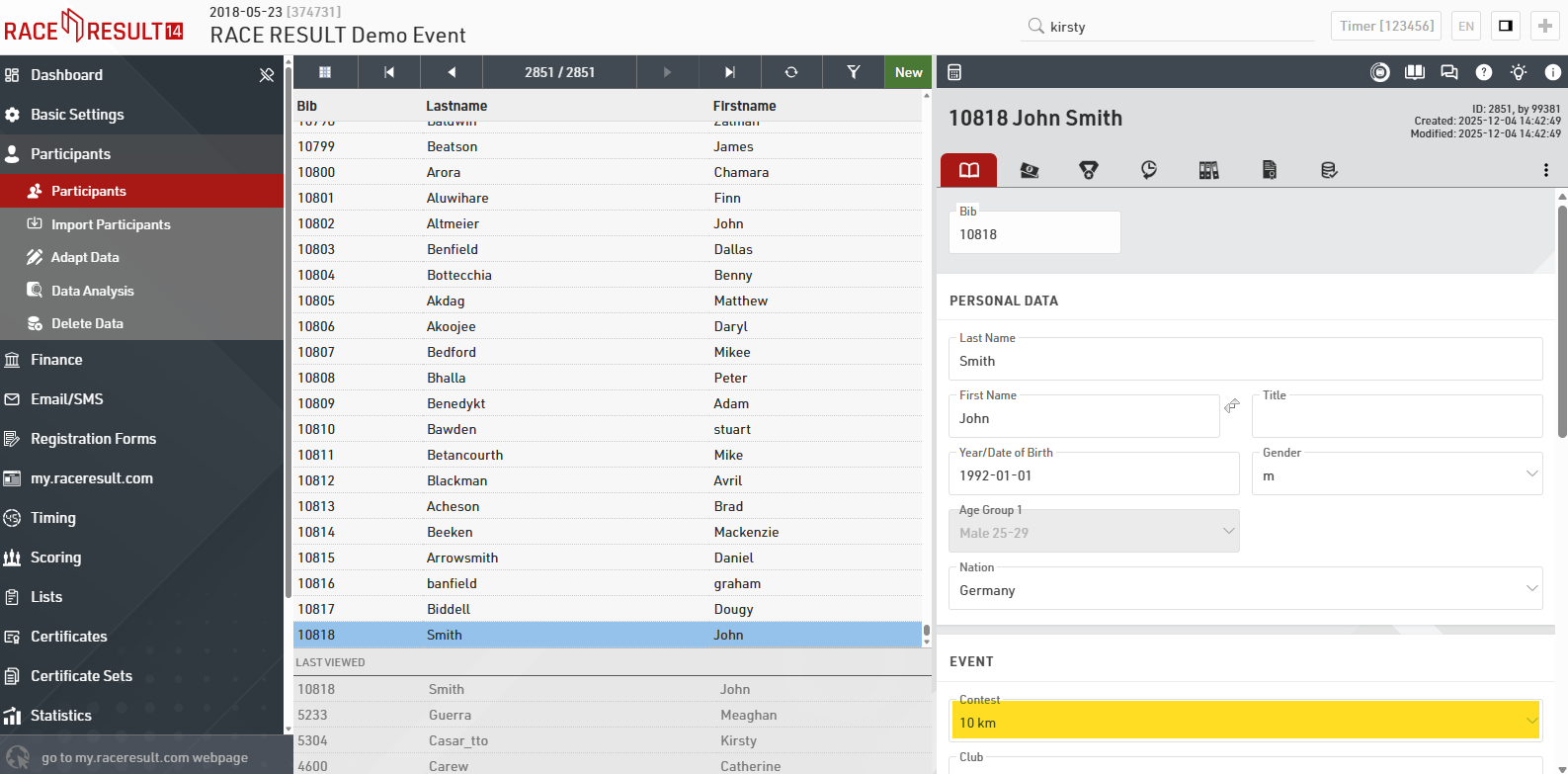
Next, we will add a new participant manually. Go to the Participants window, click on New Participant or press F12, and fill in the empty form. The bib number will be the next available value after the current highest bib number, in this event that is 10818 so you should also select the 10km contest which this bib number would be for. FIll in the participant details as below.
Go back to the Output window (again changes you have made will be saved automatically) and open the list Participants List123 for the 10 km Contest.
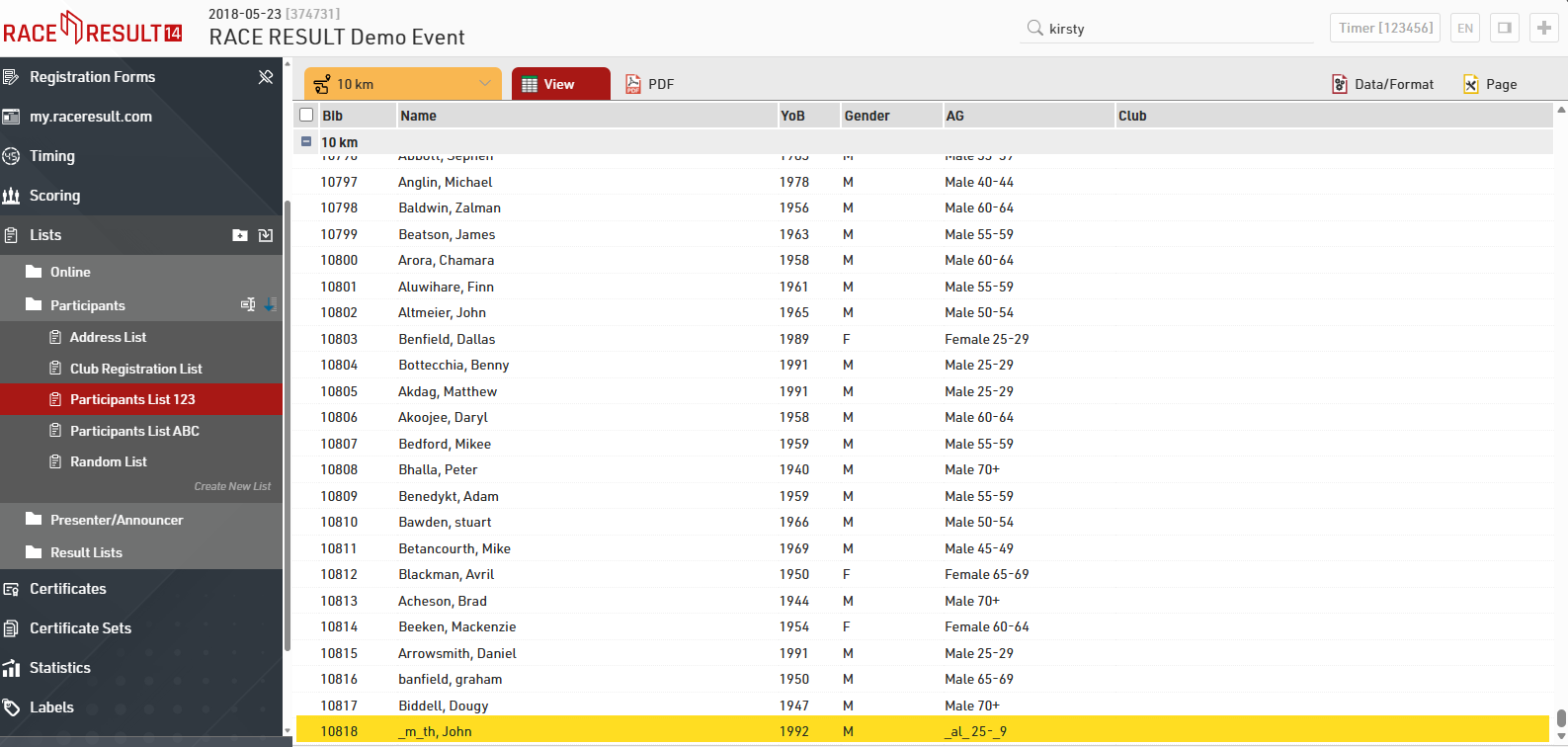
At the bottom of the participant list you can see that the newly added athlete John Smith is not being displayed correctly, but garbled by underscores. The following section explains why.