


When working in Raw Data Mode all of the passings for a participant are saved to the event, you can view all of a participant's data in the Participants Window - Timing Raw Data tab.
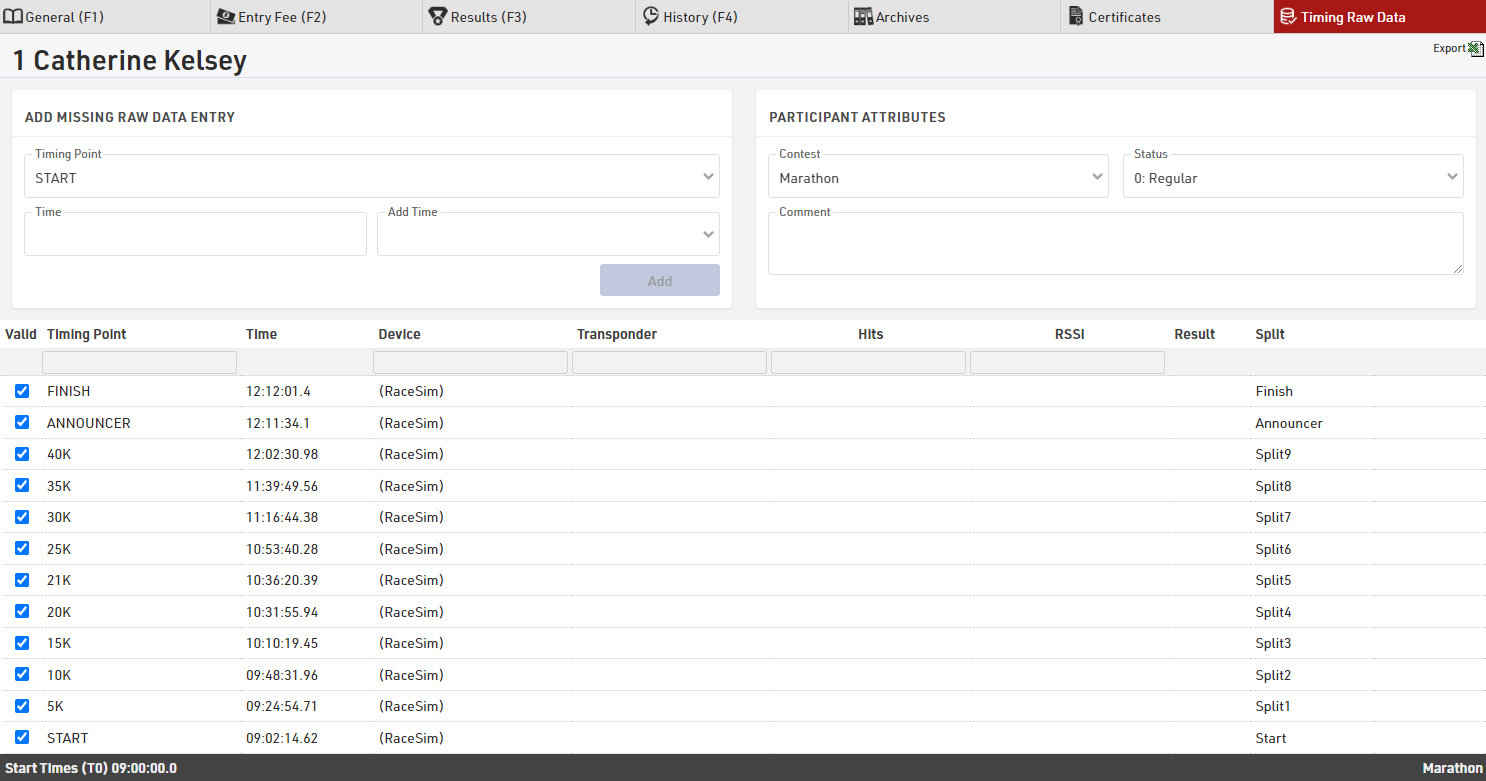
Here you have every recorded passing for the participant, technical information about the passing, and which result the passing has been used for, if any. See Passing Information for more details about understanding the technical information.
If a time should be ignored then untick the box in the first column and the time will be greyed out and ignored for raw data calculations, re-tick the box to use it again. Results will be re-calculated automatically.
If you have missing passings or need to enter additional raw data then you can do this below the table, just select the timing point and enter the time. You can enter the time as time of day, or as a race time / split time and then have the option to add T0 or any other result to this time, useful if you have a net time for a participant or need to add a missing split without calculating the time of day.
If you want to save a copy of all the raw data for review then the export function allows you to export all raw data for just the current participant or all participants.