


When creating a race certificate for a team, you can access the data of all members of the team:
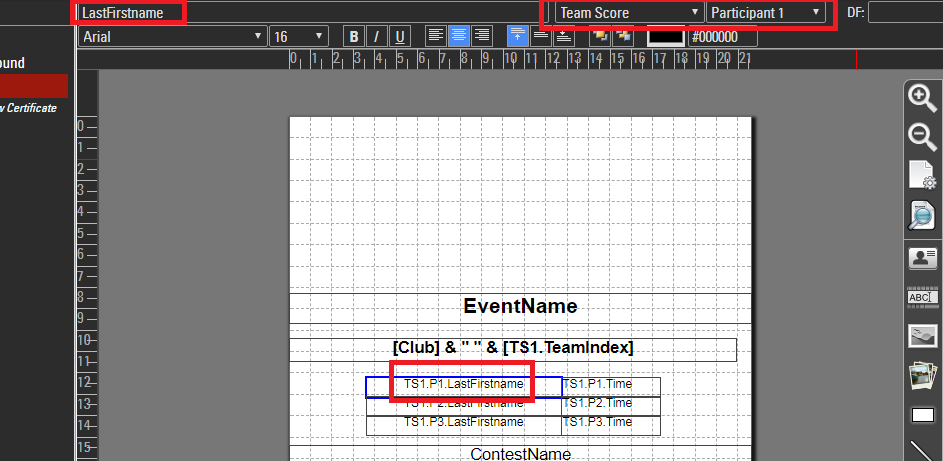
As you can see, you can access the data of the yth member of the team according to team score x via TSx.Py.
You can use this to turn the detailed team results...
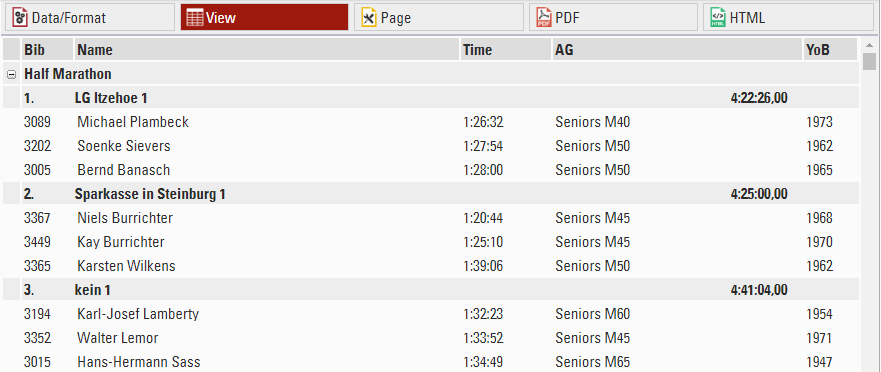
.. into a short version with one line per team, still showing the last names of the athletes.
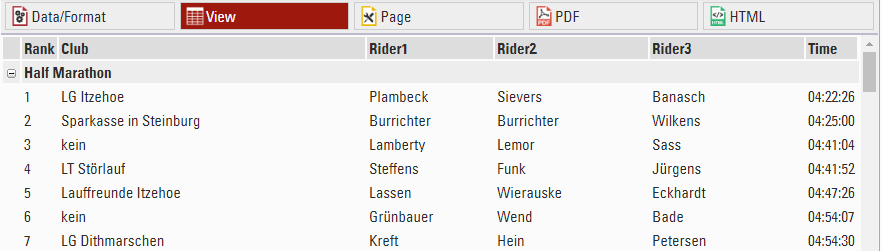
How does this work?
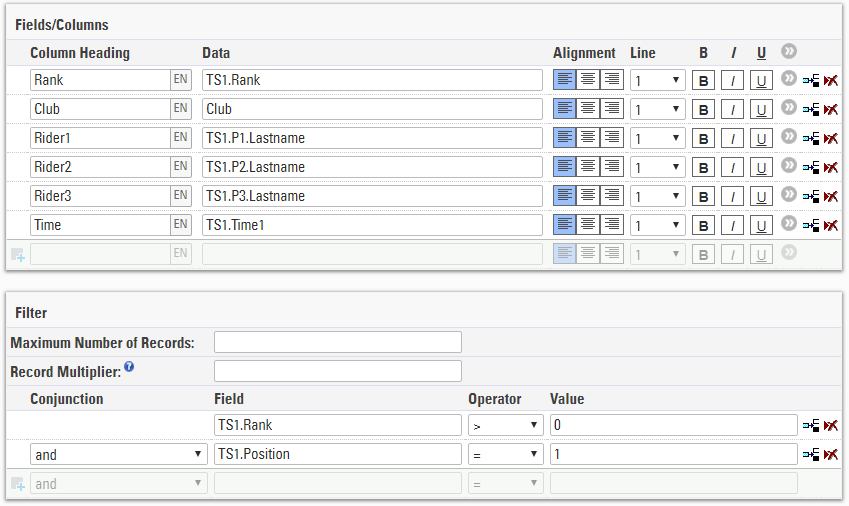
TS1.Px is used to access the three names of the athletes and show them in one line. Without any other modification the list would look like this:
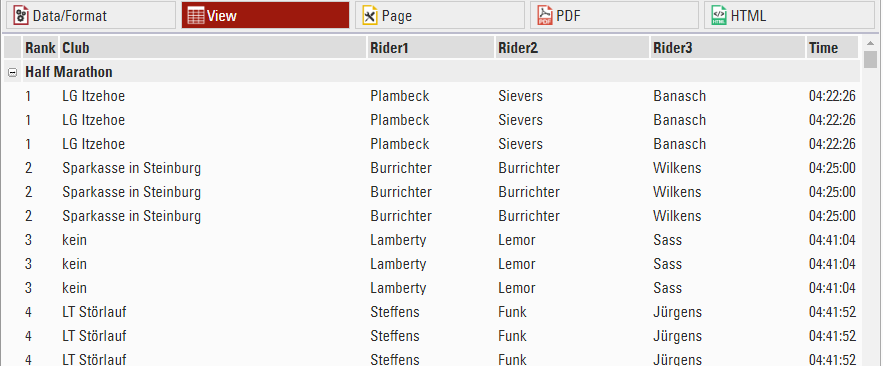
It would still show one line per participant. So we have to add the filter TS1.Position = 1. TS1.Position is the internal numbering of the team (1 => first team member, 2 => second team member, …), so the filter makes sure that only one record per team will be shown.